By allowing students to edit the labels, the Mote Highlighter can be customized to a range of reading and research strategies.
 Highlighter Labels
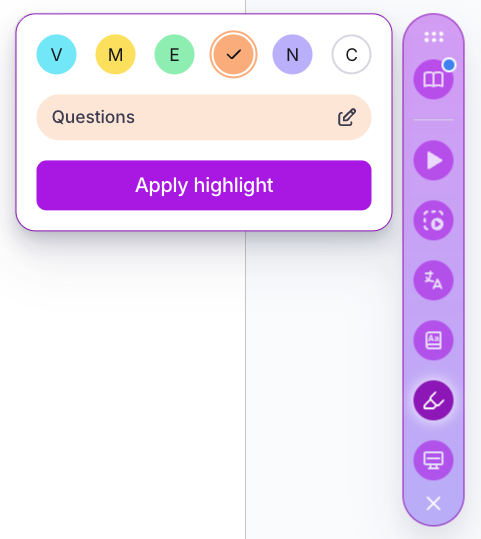
Four of the colors in the Mote Highlighter have an editable label, to help students to apply reading strategies.
By allowing students to edit the labels, the Mote Highlighter can be customized to a range of reading and research strategies.
Helps teachers to customize highlighting strategies to their class' needs
Helps students to learn highlighting practices based on their preferences
Two of the highlighters have labels that cannot be edited - blue (for vocabulary) and white (for clearing existing highlights)
Discover related capabilities and features in the mote ecosystem

Assessment Mode lets a teacher pause Mote features for the duration of an assessment. The teacher ch...

Google Classroom Class Import pulls a teacher's existing classes into Mote, mapping students to thei...

School Language is an account-level setting that fixes the default language of Mote itself for every...

The Impact Report takes an institution's Mote usage data and turns it into a picture of what is actu...

Localized Interface means Mote itself, not just the content it handles, is available in French, Span...

Mote Writing Review checks a student's writing for spelling, homophones (their / there / they're), s...

Focus Mode strips away unnecessary elements from webpages, keeping only the main content visible. Wh...

Text Prediction offers real-time word suggestions as students type, drawing on phonetic spelling and...