Explore moteSidebar
Reading, Writing and Audio Creativity tools for all K-12 learners

Explore moteSidebar Features & Capabilities
Writing Review checks student's writing for spelling, homophones, and grammar, providing plain-language explainers for each issue so students understand the why behind corrections.
Writing Review checks student's writing for spelling, homophones, and grammar, providing plain-language explainers for each issue so students understand the why behind corrections.
Focus Mode removes distractions from webpages - like ads, sidebars and visual clutter - leaving only the core content so students can focus with greater ease when reading.

Text prediction uses phonetic spelling, semantic and contextual awareness to offer real-time word suggestions in English, Spanish and French. Adjust your max words suggested and choose between follow and fixed mode for personalized writing support.
Sub-features:
Topic Lists for Text Prediction
Topic lists let you select a vocabulary list to give text prediction suggestions greater context, helping students access subject-specific terminology and domain vocabulary as they write.
Create voice and audio content easily on any webpage using Mote's creator tools
Sub-features:
.png)
Audio Upload
Upload audio files to share or embed into class work
Dictate and Translate
Record a dictation, translate it into more than 60 languages, and easily share the translated text

Read Aloud with Human-Like Voice transforms any written content into natural-sounding speech, providing comprehensive text-to-speech support across websites, documents, and educational materials.
Sub-features:
Text-to-speech for maths
Text-to-speech for maths lets students hear maths equations read aloud using Select Area or Play Page, helping students access and understand mathematical content independently.
.png)
PDF Read Aloud
Drag & select text in PDFs hosted online to hear them read aloud.
.png)
Image Text Read Aloud
Drag & select text on any webpage, including text embedded in images, to hear it read aloud
.png)
Diverse Voices & Adjustable Speed
Select from a range of voices and adjust Read Aloud speed to fit personal needs
.png)
Play Page: Read Aloud
Accessible learning through human-like text-to-speech, replacing the need for additional teacher and TA support

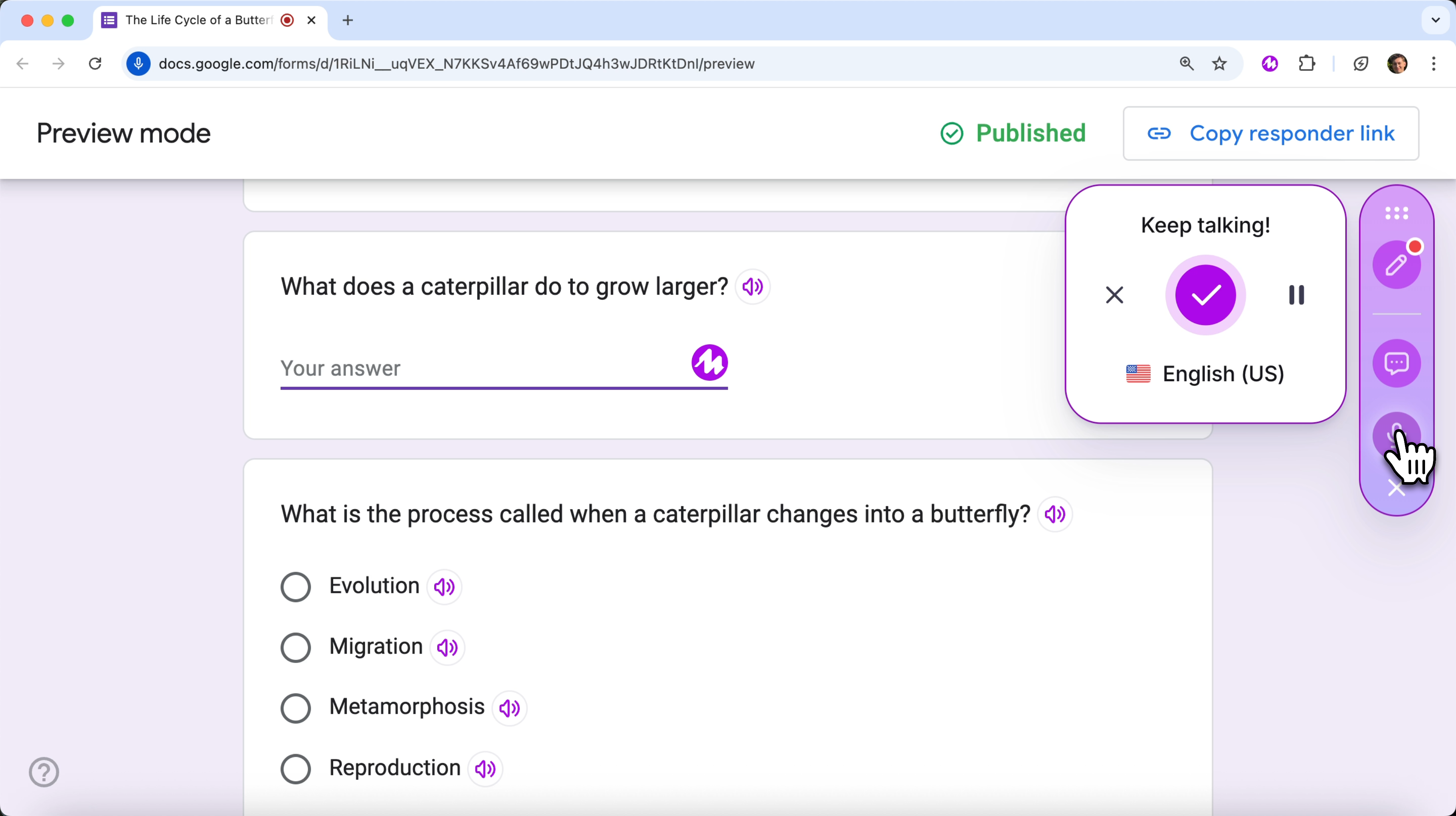
Read Aloud: Google Forms
Provide speech-to-text & translation support for Google Forms quizzes

Select Area to Read
Convert text-to-speech by drawing a box around selected words embedded images

Screen Mask dims the rest of the page while highlighting single lines of text, creating a focused reading window that moves with the reader's progress.

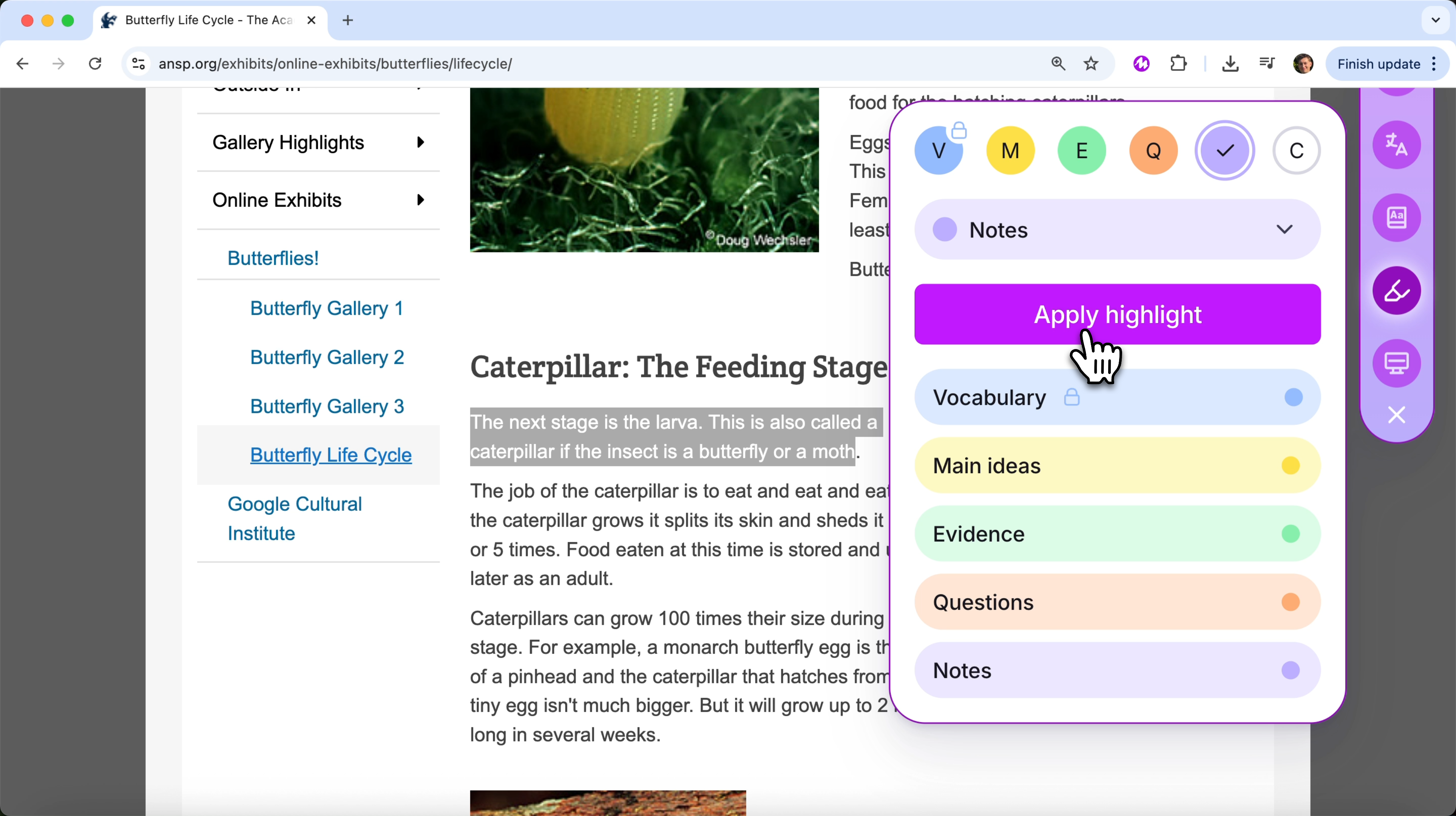
Emphasize or mark important text with colors, integrated with Mote Learning Activities
Sub-features:
.png)
Highlighter Labels
Four of the colors in the Mote Highlighter have an editable label, to help students to apply reading strategies.
.png)
Highlight Notes
Mark text on webpages and documents using color.

Transform written text into sharable, downloadable audio files with a range of diverse human-like voices
.png)
Multimodal dictionary with definitions, thousands of images, read aloud and translations
Sub-features:

Multilingual Dictionary
Support ELL learners by providing English word definitions in native languages
.png)
Access to your Mote recordings, manage your account and monitor student activity

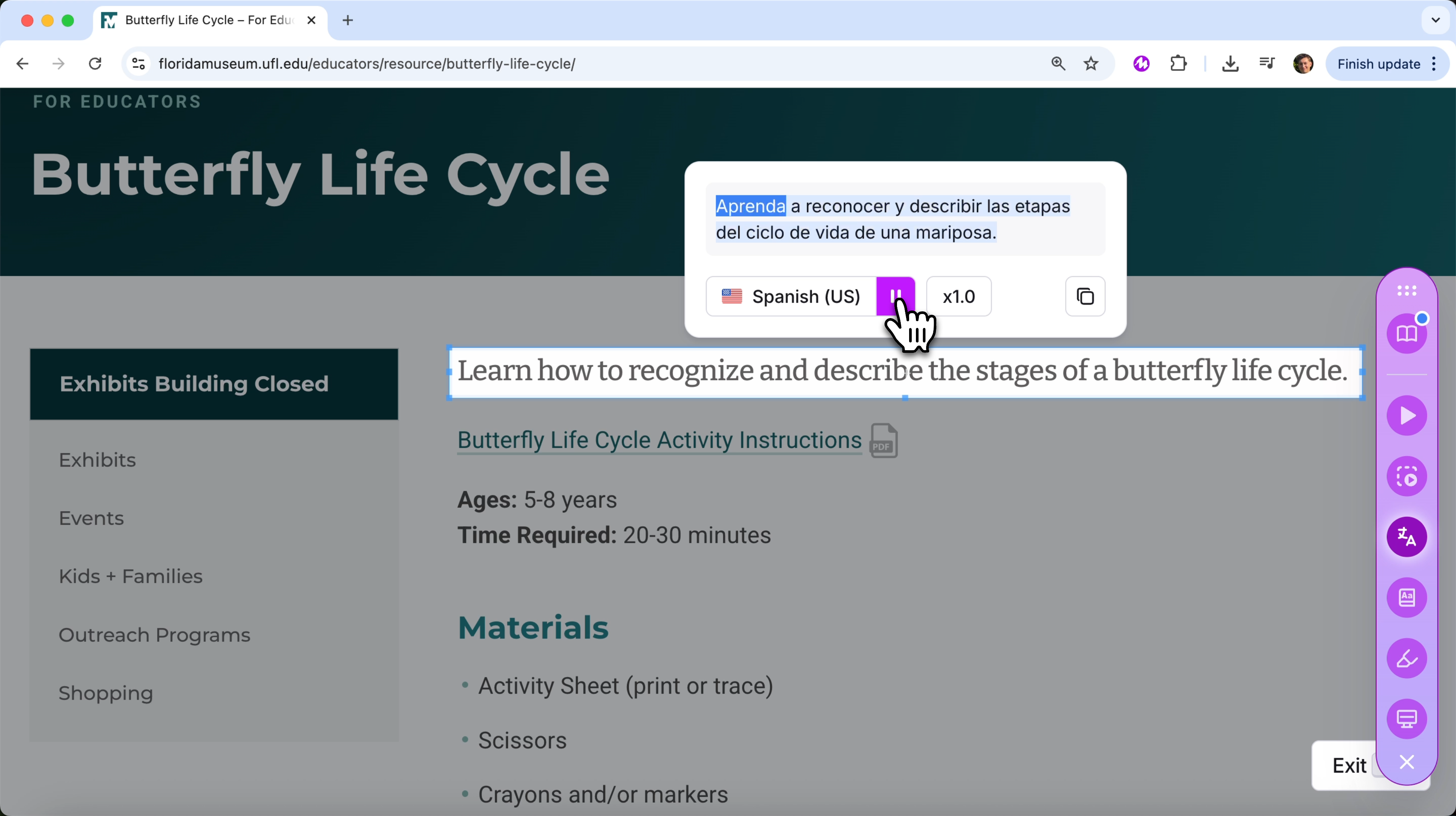
Built in translation for text and audio in 60+ languages, increasing access for ESL students
Sub-features:
.png)
Read Aloud Translation
Use Read Aloud to translate text-to-speech in over 60 languages

Mote can be used as a fast and convenient speech-to-text tool on any website or application