Read Aloud

Included in:
Requires Unlimited
Area:
Reading
Read Aloud (text to speech) reads any webpage, Google Doc, Slide, PDF or Google Forms quiz aloud, highlighting each word as it goes.

What this feature does:

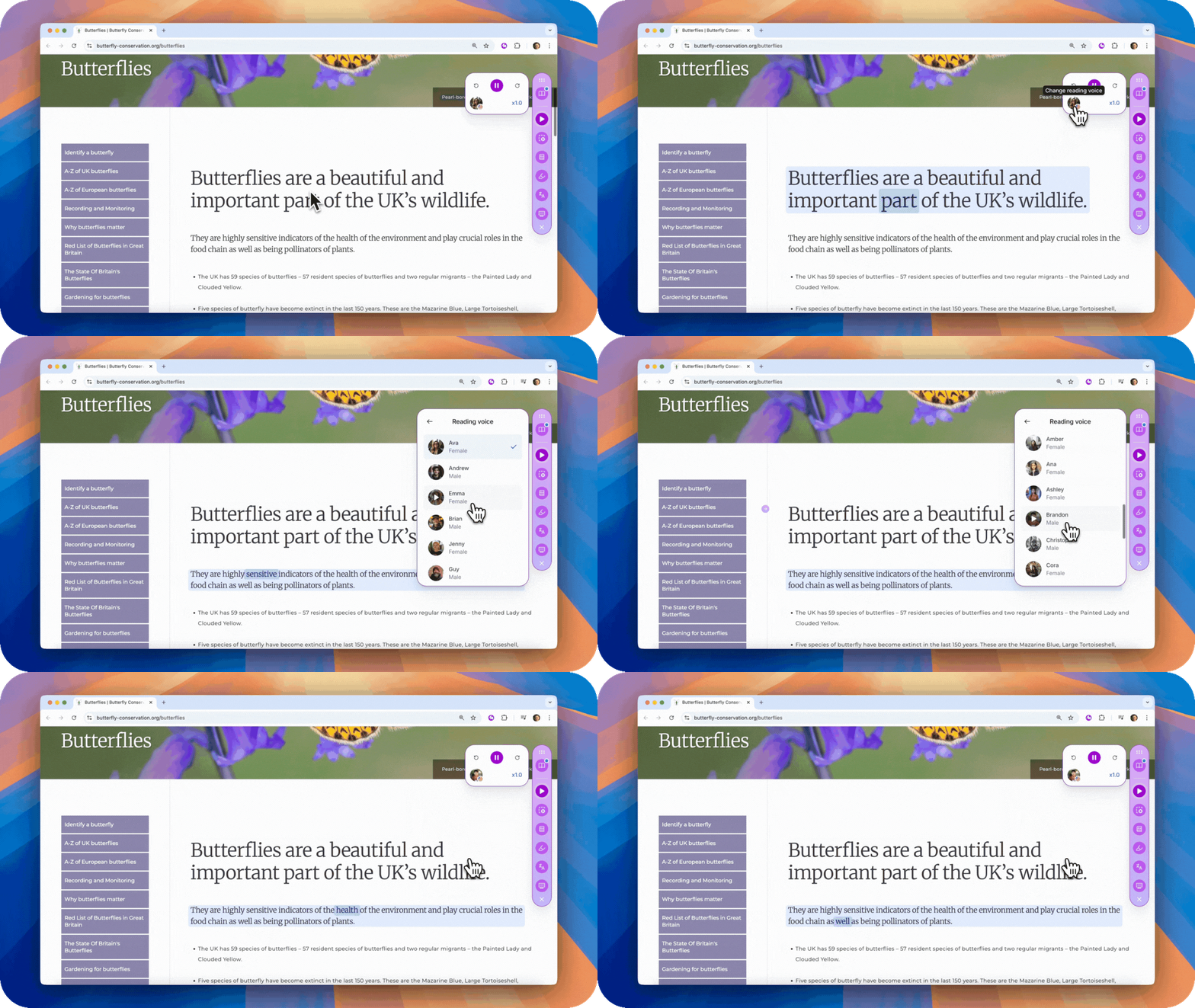
Read Aloud (text to speech) turns written content into natural, human-like speech, including math equations and words inside graphics or images. It works on any webpage, and in Google Docs, Slides, PDFs and Google Forms quizzes. Each word is highlighted as it is read, so students can follow along.

Why it matters:

MTSS:

  • Tier 1: Enhances comprehension, develops fluency and provides models for phrasing for ALL students
  • Tier 2: Supports students with processing and reading challenges
  • Tier 3: Reduces the need for additional teacher support

Did you know...?

The voices are remarkably natural – you'll be amazed by the quality. Choose from multiple languages, accents, and speaking styles with adjustable playback speeds for personalized learning.

Try it yourself

  • Click the Mote extension icon to open the Sidebar
  • Choose between Play Page (entire page), Select Area (drag to select), or highlight text first
  • Listen as content is read aloud with word-by-word highlighting
  • Customize voice and speed settings to match your preferences

Explore Related Mote features

Try Mote for free

No card required

© Mote Technologies, Inc. 2026. Brought to you with 💜 from our global team.