Universal Design for Learning with Mote
Give every student flexible ways to read, write, and engage with content -- all within Google Classroom. Mote brings UDL principles to life with built-in accessibility tools.
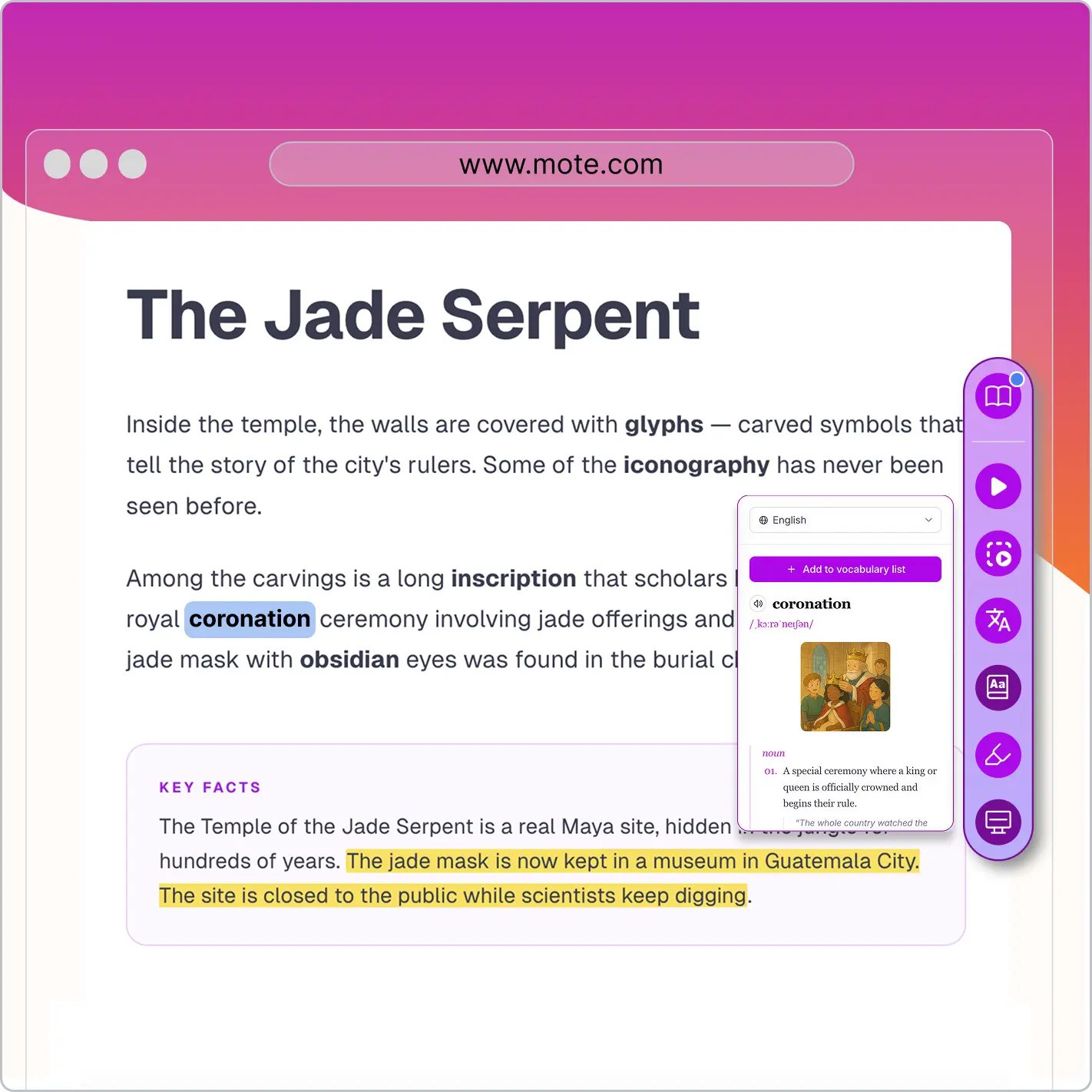



Give every student flexible ways to read, write, and engage with content -- all within Google Classroom. Mote brings UDL principles to life with built-in accessibility tools.
Universal design for learning is a framework that helps educators design lessons where every student can access, engage with, and demonstrate their understanding of content. Developed by CAST, UDL is built on three core principles: providing multiple means of engagement, representation, and action and expression. The goal is not to create separate pathways for different learners, but to build flexibility into the learning experience from the start so that every student has what they need to succeed.
Mote brings these principles to life inside Google Classroom and Google Workspace, where millions of students already learn every day. With tools like text-to-speech, translation, voice typing, screen masking, and text prediction built directly into the browser, students can choose the supports that work best for them without leaving their workflow or waiting for individual accommodations. The result is a classroom where inclusive design is the default, not the exception.

Not every student processes written text the same way. Mote's Read Aloud feature converts any on-screen text into natural-sounding audio, giving students an alternative way to access content. This directly supports the UDL principle of multiple means of representation by offering information in both visual and auditory formats simultaneously.
Students can highlight a passage and hear it read back in high-quality AI voices, adjusting speed to match their comfort level. Whether a student has a reading difficulty, is building fluency, or simply absorbs information better through listening, Read Aloud removes the barrier between the student and the content. It works natively inside Google Docs, Slides, and Classroom assignments, so there is nothing extra to install or configure.

For students whose home language differs from the language of instruction, accessing grade-level content can feel like solving two problems at once. Mote's sidebar translation feature lets students translate selected text directly within their workflow, supporting over 60 languages. This gives multilingual learners a bridge to understanding without pulling them out of the assignment or requiring a separate tool.
Combined with the built-in dictionary, students can look up unfamiliar words and see definitions in context while they read. These features align with the UDL principles of representation and engagement by ensuring that language is never the barrier to learning, and students stay connected to the same materials as their peers throughout the lesson.

Some students have ideas that outpace their ability to type or write by hand. Mote's voice typing lets students speak their thoughts and see them converted to text in real time, opening up an alternative pathway for written expression. This supports the UDL principle of multiple means of action and expression by letting students demonstrate knowledge in the way that works best for them.
Voice typing works natively inside Google Docs and other Google Workspace tools, so students can draft essays, answer questions, or complete assignments without switching to a separate application. For students with motor difficulties, dyslexia, or anyone who simply thinks better out loud, voice typing makes expression more accessible and less frustrating.

Mote's text prediction feature offers word and phrase suggestions as students type, reducing the cognitive load of spelling and sentence construction. This scaffolding supports the UDL principle of action and expression by helping students maintain their train of thought and produce writing that reflects what they actually know, rather than what they can spell.
Text prediction is especially valuable for students who struggle with spelling, English language learners building vocabulary, and younger writers developing fluency. The suggestions appear unobtrusively and students can accept or ignore them, keeping them in control of their own writing process. It is a quiet support that makes a meaningful difference.
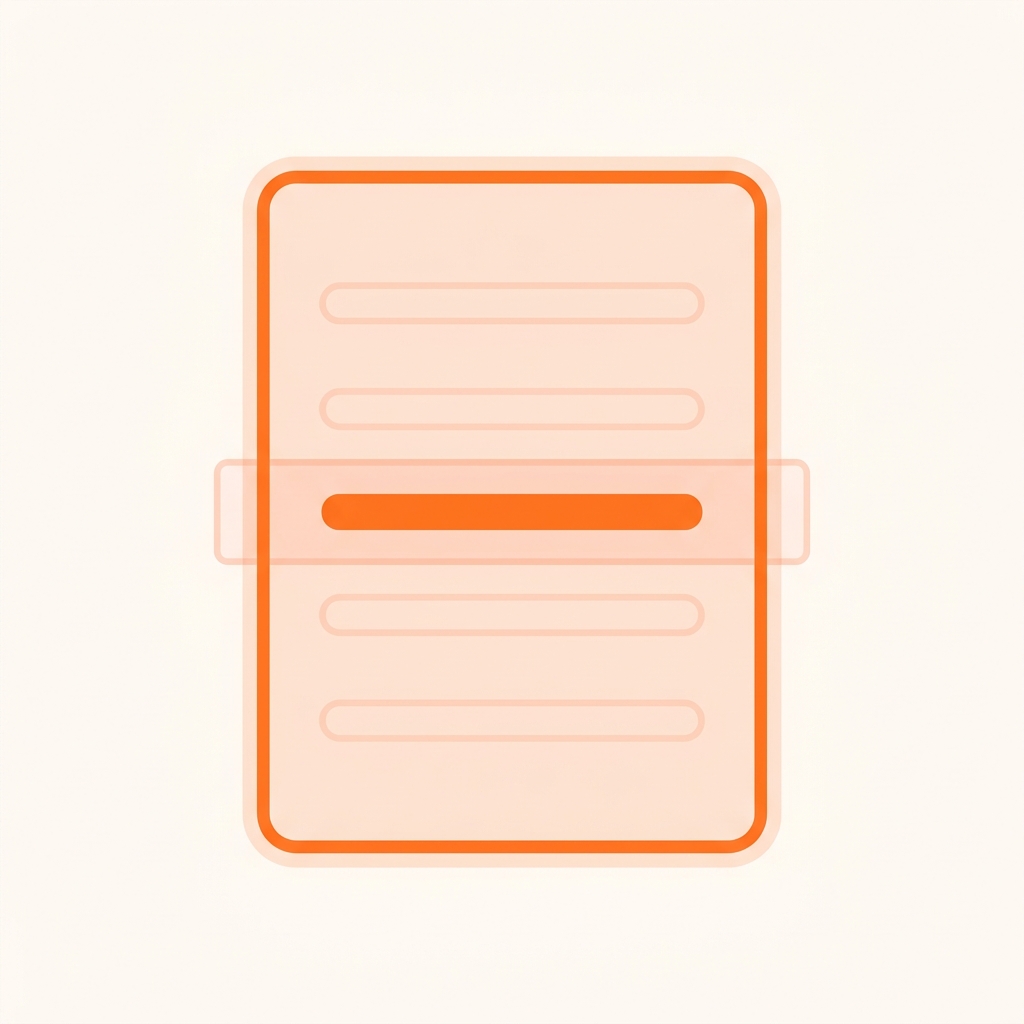
A screen full of text can be overwhelming, especially for students who struggle with sustained attention or visual processing. Mote's screen mask dims everything except the section a student is reading, creating a focused viewing window that moves with them through the content. The highlighter tool lets students mark important passages in color, building active reading habits and making it easier to return to key ideas.
These features support the UDL principle of multiple means of engagement by helping students self-regulate their attention and interact with content purposefully. Rather than requiring external accommodations or teacher intervention, students can activate these tools themselves whenever they need a clearer view of what they are working on.

Understanding new vocabulary is essential to accessing grade-level content across every subject. Mote's built-in dictionary gives students instant definitions without leaving their assignment, while the vocabulary and mastery tools help students collect, review, and retain new words over time through spaced repetition and practice activities like flash cards.
This combination supports the UDL principle of representation by building the background knowledge students need to engage meaningfully with complex texts. When students can independently look up and practice unfamiliar words within their normal workflow, they develop stronger comprehension skills and greater confidence tackling challenging material.
Research consistently shows that UDL-based approaches improve outcomes for all students, not just those with identified disabilities. A 2025 longitudinal study published in Scientific Reports gathered data from 2 million+ users across 25,000+ schools across 100+ countries and found that institutions fully implementing all three UDL principles recorded a 37.4% increase in overall learner performance and a 42.8% increase for previously disengaged learners. These gains were strongest when schools embedded UDL into everyday classroom practice rather than treating it as an add-on initiative.
A systematic review and meta-analysis published in Cogent Education examined peer-reviewed UDL research from 2015 to 2021 and found a significant positive effect size of 3.56 across included studies, with particular impact in K-12 settings when UDL was applied through professional development and classroom-level interventions. Studies that incorporated technology tools aligned to UDL principles showed especially strong results for reading comprehension and student engagement.
The UDL Guidelines 3.0, released by CAST in 2024, represent the latest evolution of the framework. The updated guidelines place greater emphasis on addressing systemic barriers rooted in bias and exclusion, reinforcing that UDL is not just a teaching strategy but a commitment to equitable access. For educators looking to put these guidelines into practice, technology that provides built-in flexibility across all three UDL principles is an essential starting point.
<p>UDL and MTSS work together as complementary frameworks. UDL strengthens Tier 1 instruction by building flexible supports into core teaching for all students, which can reduce the number of students who need Tier 2 or Tier 3 interventions. When every student has access to tools like text-to-speech, translation, and voice typing from the start, educators can focus intensive support where it is truly needed.</p>
<p>Effective UDL tools provide multiple ways for students to access and interact with content within their existing workflow. Look for tools that offer text-to-speech for representation, speech-to-text for expression, and features like screen masks or highlighters for engagement. The best UDL tools for students integrate directly into platforms like Google Classroom rather than requiring students to switch between separate applications.</p>
<p>The three principles of UDL are multiple means of Engagement (the "why" of learning), multiple means of Representation (the "what" of learning), and multiple means of Action and Expression (the "how" of learning). Each principle addresses a different learning network in the brain and provides guidance for reducing barriers. A UDL checklist can help educators ensure they are addressing all three principles in their lesson planning.</p>
<p>UDL is referenced in several U.S. federal laws, including the Higher Education Opportunity Act (HEOA) of 2008 and the Every Student Succeeds Act (ESSA). While no law mandates UDL implementation in every classroom, these references signal a clear policy direction toward proactive, inclusive design. Many state education agencies now include UDL in their guidance for meeting IDEA and Section 504 requirements.</p>
<p>While differentiated instruction adjusts teaching for specific student groups after identifying their needs, UDL designs flexible options into the learning environment from the start so all students can access them. Think of it as the difference between building a ramp into a building versus adding one later. UDL principles guide proactive design, whereas differentiation is often reactive. Both approaches complement each other well in inclusive classrooms.</p>
<p>Universal Design for Learning (UDL) is a framework developed by CAST that guides the design of flexible learning experiences to accommodate all students. Rather than retrofitting accommodations after the fact, UDL builds multiple means of engagement, representation, and action and expression into every lesson from the start. Tools like Mote make UDL practical by embedding supports such as text-to-speech, translation, and voice typing directly into the platforms students already use.</p>
<p>No. UDL benefits all learners, not just those with identified disabilities. Research shows that supports like text-to-speech, visual highlighting, and translated content help English language learners, students working in noisy environments, and any student who learns differently. A 2025 study found that schools implementing all three UDL principles saw a 37.4% increase in overall learner performance across the full student population.</p>
<p>Start by auditing your current lessons against the three UDL principles: Are students given multiple ways to access content, engage with material, and demonstrate what they know? From there, look for technology tools that can provide built-in flexibility. Mote, for example, adds text-to-speech, voice typing, screen masking, and translation directly inside Google Classroom, so students can choose the supports that work best for them without needing separate apps or workflows.</p>
Last updated on
March 18, 2026
