The UDL Checklist: 12 Items for Stronger Lessons (Free)
A short, repeatable UDL checklist organised by the three principles - engagement, representation, action and expression. Designed as a 2-minute sanity check on any lesson.




A UDL checklist is a short, repeatable tool that confirms a lesson actually applies the three UDL principles before students arrive. Unlike a long planning document, the checklist takes 2-3 minutes per lesson and works as a final sanity check: does this lesson offer multiple ways to engage, multiple ways to access content, and multiple ways for students to respond? This guide gives you a 12-item version organised by the three principles, plus how to use it without slowing down your planning. Roughly 15 percent of US students receive special education services (NCES), and many more benefit from the same flexibility a strong design tool enforces.
The 12-Item UDL Checklist
Use this list on any lesson before delivering it. Aim for at least 8 of 12 items checked. Items are grouped by the three UDL principles.
Engagement (the "why" of learning)
- The lesson includes at least one meaningful student choice (topic, partner, pace, or format)
- The content connects to a real student interest or experience
- Goals are visible to students at the start of the lesson
- Self-regulation supports are in place (timers, checklists, progress markers)
Representation (the "what" of learning)
- Core content is available in at least two modalities (text + audio, text + visual, etc.)
- Key vocabulary has a quick-access support (inline dictionary, visual glossary)
- Patterns, big ideas, and relationships are made explicit rather than left to inference
- Captions, transcripts, or scripts exist for any video content
Action and Expression (the "how" of learning)
- Students can respond in at least two formats (e.g. writing, voice, diagram)
- All response formats are assessed against the same rubric
- Supports like speech-to-text and word prediction are available to every student
- Students have explicit strategies for goal setting, planning, or self-monitoring
How to Use the UDL Checklist
Run it as a quick check, not a long form. Pick one upcoming lesson, tick the boxes you already meet, and identify two items you can add without rebuilding the lesson. The goal is to raise the score over time, not to hit 12 of 12 on the first try. Most teachers start around 4-5 and reach 8+ after a few weeks of intentional use.
When to Use the UDL Checklist
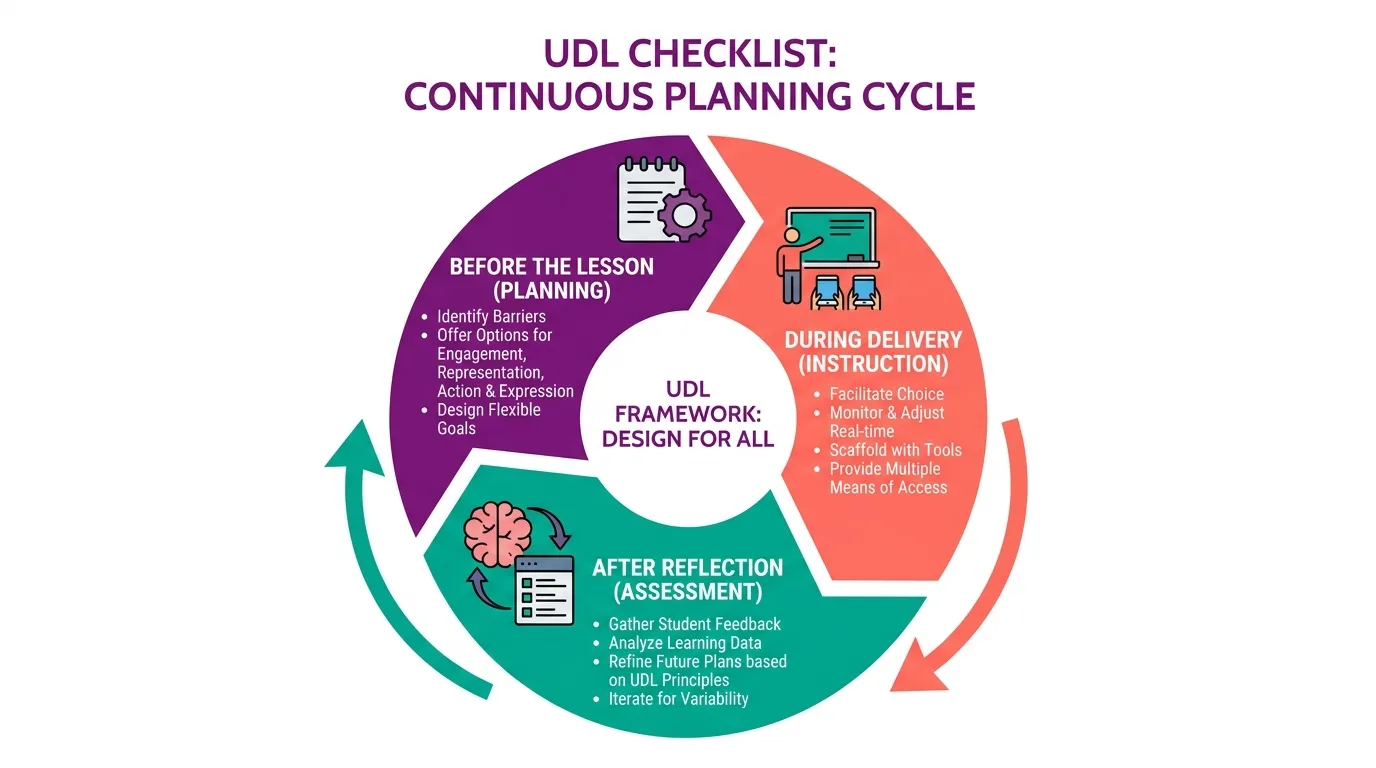
The tool works in three planning moments:
- Before delivering a lesson: as a 2-minute final sanity check
- While planning a new unit: to confirm flexibility is built in from the first draft
- After delivering a lesson: as a reflection tool, paired with which paths students actually used
Using It for Coaching and Walkthroughs
Instructional coaches and admins often want a short evidence list for classroom walkthroughs. The same 12 items work, but observers look for evidence rather than self-report: visible posted choices, multiple modalities in use, students working in different response formats. The list becomes a conversation starter for post-observation coaching - not a compliance score.
Common Mistakes to Avoid
Three mistakes show up repeatedly when schools roll out a tool like this:
- Making it too long. A 30-item form gets filed and forgotten. 12 items is the upper limit for daily use.
- Scoring it like an inspection. This is a design tool, not an evaluation rubric. Use it to spark planning, not to grade teachers.
- Skipping the supports row. Teachers often check boxes for choice and modalities but leave assistive supports out. Those tools - text-to-speech, speech-to-text - are what make the rest real.
Where Mote Fits
Most items above depend on having access to text-to-speech, speech-to-text, translation, and a dictionary. Mote bundles these into a single Chrome extension that works inside Google Workspace - so the boxes you tick are actually available in every lesson, not aspirational. See the full guide to Universal Design for Learning for how the principles connect to daily planning.
The bottom line: a UDL checklist will not transform your teaching overnight. It will catch the lessons that drifted back to one-size-fits-all - and that is most of the value. Use the 12 items above, start at whatever score you have, and raise it lesson by lesson.