What is Assistive Technology? A 2026 Guide for Educators
Assistive technology covers everything from a pencil grip to an AI-powered Chrome extension. Here is the IDEA-aligned definition and how schools select AT.




Assistive technology covers everything from a pencil grip to an AI-powered Chrome extension. The term gets used in IEPs, 504 plans, classroom newsletters, and procurement contracts, often loosely. This guide answers what assistive technology actually is in 2026, who it serves, and how schools select the right tools for the students who need them.
The IDEA Definition of Assistive Technology
Assistive technology is any item, piece of equipment, or product system, whether acquired commercially off the shelf, modified, or customized, that is used to increase, maintain, or improve the functional capabilities of a child with a disability. That is the legal definition from the Individuals with Disabilities Education Act (IDEA), and it is the definition every U.S. school district works from.
Three things stand out in the IDEA definition:
- Any item: AT is not just digital. A slant board, a pencil grip, and an audiobook are all AT.
- Functional capabilities: AT supports what a student can do, not what they cannot do. The frame is access, not deficit.
- Modified or customized: AT often involves adaptation. The same tool can be Tier 1 for one student and Tier 3 for another.
The Assistive Technology Continuum: Low-Tech to High-Tech
Assistive technology runs along a continuum from low-tech to high-tech. All three levels are valid AT, and most students benefit from a mix.
- Low-tech AT: Pencil grips, slant boards, highlighter tape, visual schedules, sticky notes. No batteries, no setup, no cost in most cases.
- Mid-tech AT: Calculators, audiobooks, FM systems, simple digital timers, basic recording devices.
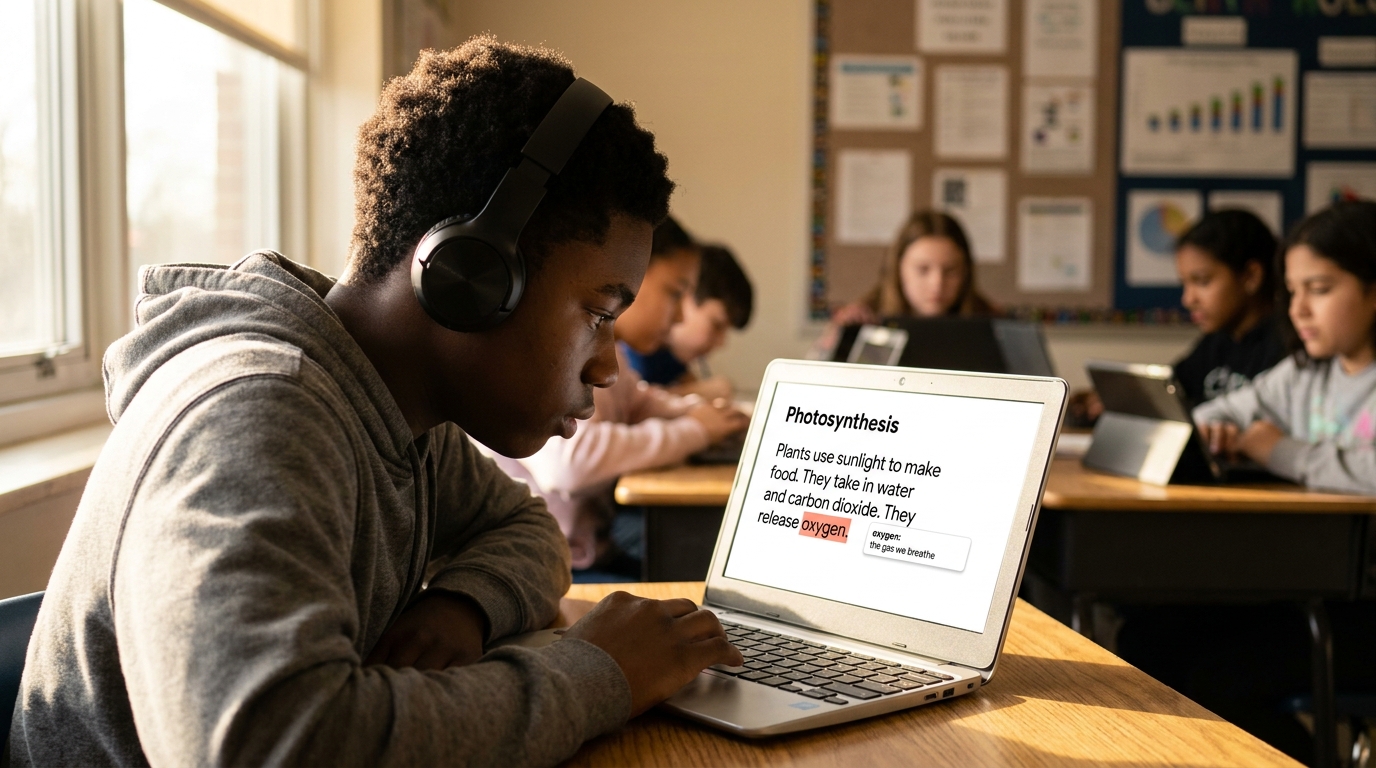
- High-tech AT: Text-to-speech software, speech-to-text dictation, word prediction, OCR for printed text, AI-powered Chrome extensions, augmentative communication devices.
The high-tech end of the continuum has expanded fastest in the last five years. AI-powered tools, browser extensions, and embedded accessibility supports have moved from specialist software to mainstream classroom tools.
Who Benefits from Assistive Technology
Assistive technology is not just for students in special education. The IDEA definition is specific to students with disabilities, but the broader principle of AT, using technology to remove barriers to learning, applies far more widely.
Populations that commonly benefit from AT in 2026 include:
- Students with documented disabilities under IDEA (dyslexia, ADHD, autism, motor impairment, vision or hearing differences)
- Students with 504 plans, a broader eligibility framework than IDEA
- English Language Learners using translation and dictation tools
- Students with temporary injuries or medical conditions
- Any student in a Universal Design for Learning Tier 1 classroom where AT is offered to all
Schools that adopt the broader frame, where AT is available to any student who would benefit, see higher tool adoption and lower stigma than schools that gate AT behind a disability label.
Assistive Technology in IEPs and 504 Plans
Federal law requires schools to consider AT for every student with an IEP. That requirement is in IDEA itself, and it applies whether or not the family or teacher has explicitly asked for it.
The IEP team's AT consideration typically asks four questions:
- What educational task is the student struggling to perform?
- What AT has the student tried, and with what result?
- What AT could remove the barrier and increase the student's functional capability?
- How will the team train the student, the family, and the teaching staff to use the AT?
For 504 plans, the framework is similar but the eligibility criteria differ. AT often appears in 504 plans as accommodation language: "Student will be provided with text-to-speech software for all reading assignments," for example. For more on how AT fits within tiered intervention, see our MTSS vs RTI guide.
How Modern AT Has Changed: From Bolt-On to Universal
Until about 2020, most assistive technology was bolt-on: separate software, separate logins, separate setup, separate budget lines. The model assumed AT was for a small number of students with documented needs, and the implementation reflected that.
The 2026 picture is different. Three shifts have reshaped how schools deploy AT:
- Browser-native delivery. Modern AT runs as Chrome extensions inside the tools students already use, not as standalone applications.
- Universal availability. Tools that were once Tier 3 accommodations are now Tier 1 universal supports, available to every student in the classroom.
- AI-powered accuracy. Voice quality, text prediction, and translation have crossed thresholds that used to make these tools awkward to use in real classrooms.
If your AT model still treats accessibility tools as a per-student software install, you are using a 2015 framework in a 2026 classroom.
How Mote Fits the Modern AT Picture
Mote is a modern, browser-native AT solution that maps cleanly to the IDEA AT definition and to the universal access model:
- Reading AT: Read Aloud, OCR for printed text, Translation, Screen Mask, Highlighter
- Writing AT: Text Prediction, Speech-to-Text, Voice Feedback
- Communication AT: Voice notes inside Google Workspace, real-time translation for multilingual classrooms
Mote runs natively inside Google Workspace and Chrome, making it a zero-install option for IEP and 504 accommodations as well as universal Tier 1 access. For the deeper view of how it fits into a school's intervention framework, see our Assistive Technology pillar guide.
AT Is About Access, Not Disability
The most important shift in assistive technology over the past decade is the framing one. AT is no longer the bolt-on solution for the small group of students with documented disabilities. It is the universal access layer for any classroom committed to reaching every learner. The 2026 question is not whether your school uses AT. It is whether your school uses AT as a universal Tier 1 support or as a Tier 3 special education line item. The schools that pick the first answer reach more students with less friction.


.png)
.png)

.png)