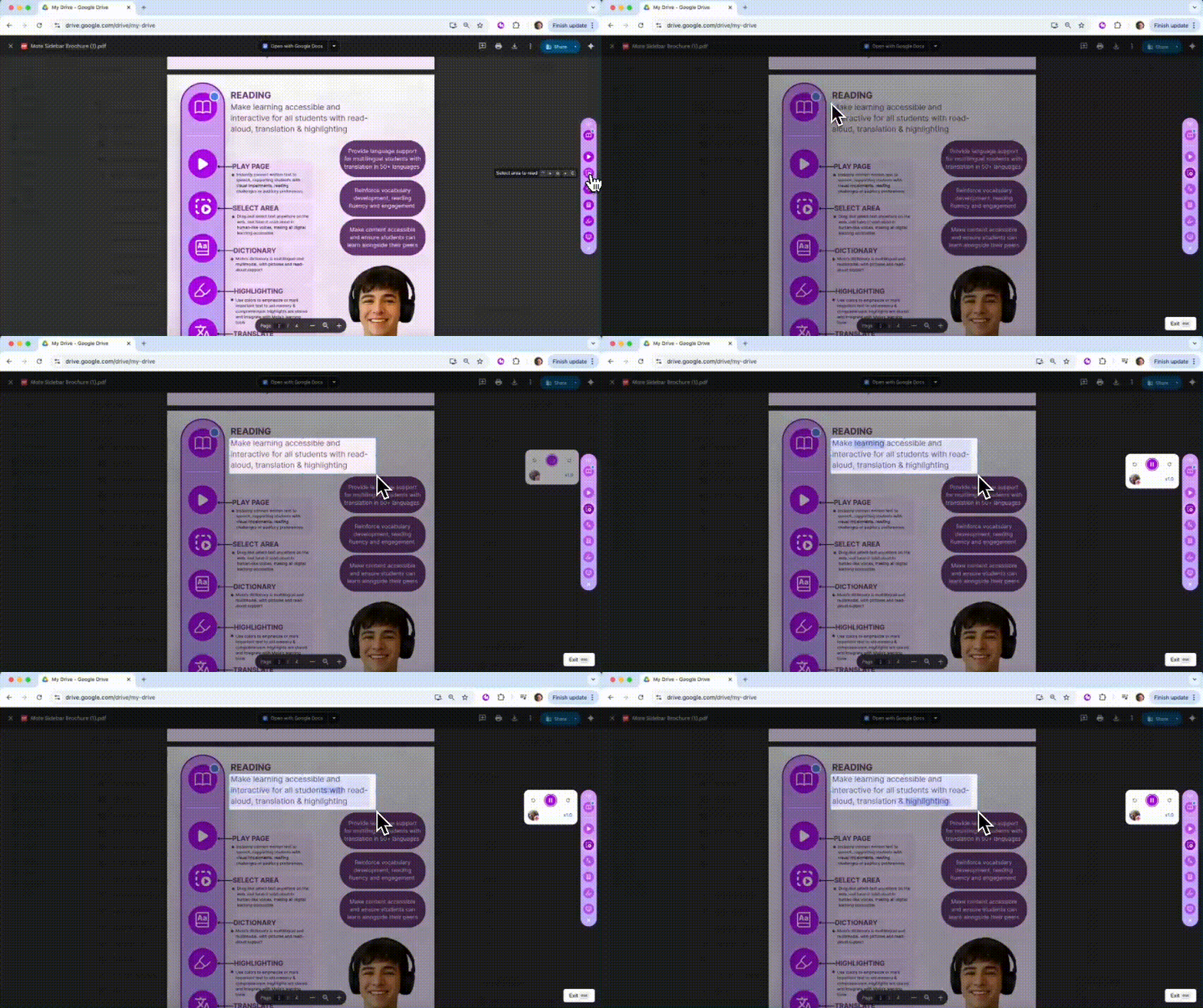
PDF Read Aloud allows users to select any text within PDF documents and hear it read aloud using natural-sounding voices, making PDF content fully accessible.
Why it matters:
Makes PDF documents accessible for students with dyslexia or reading difficulties
Supports multilingual learners with clear pronunciation of academic text
Enables independent learning from research papers, worksheets, and digital textbooks
MTSS:
Tier 2: Essential support for students with reading challenges
Tier 3: Critical accessibility tool for students with significant reading difficulties
Did you know...?
Works with any PDF document including textbooks, research papers, and worksheets. Does NOT work with PDFs that are opened directly in the browser, i.e. pages with URLs that end '.pdf'
Try it yourself
Navigate to a page with an embedded PDF, for example on Google Drive
Click the Mote extension icon to open the Sidebar
Drag and select text within the PDF you want to hear
Listen as the selected text is read aloud with word-by-word highlighting