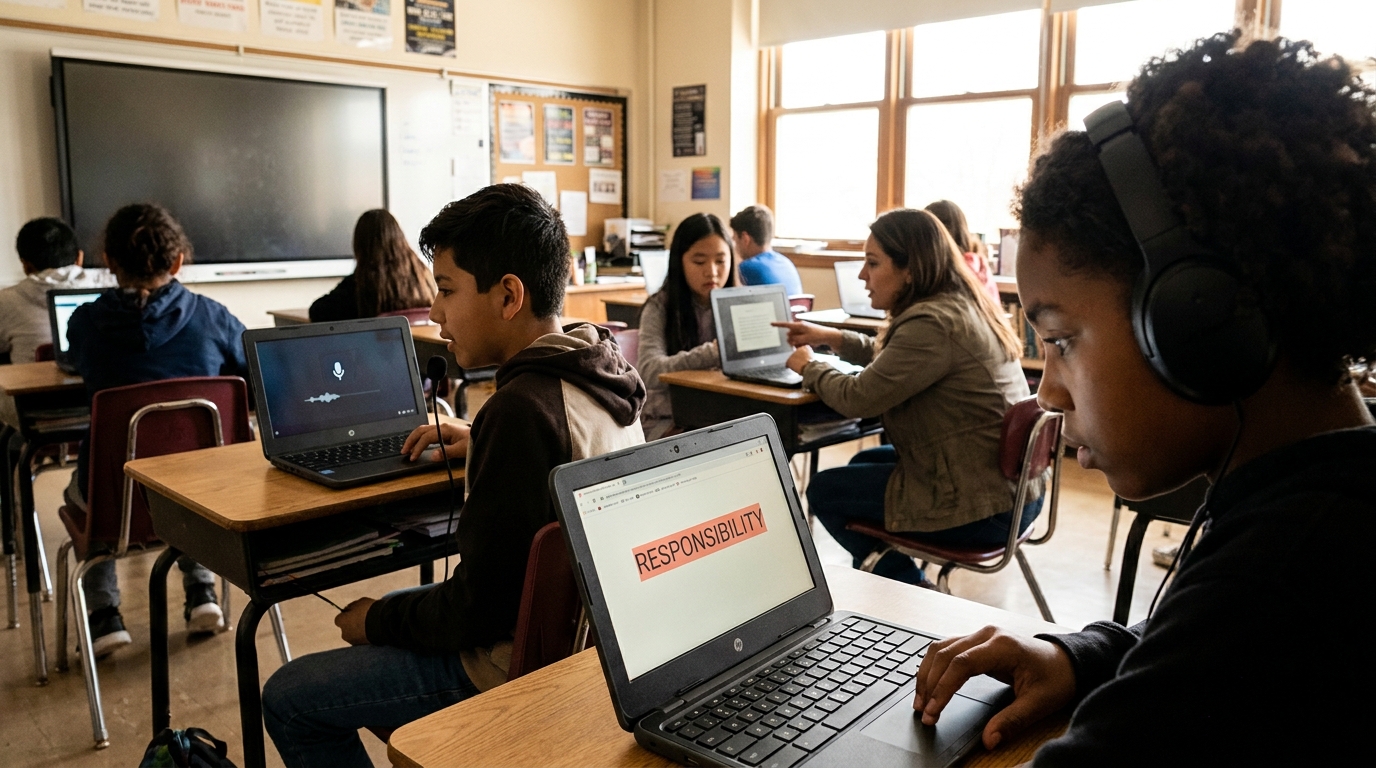
Multiple students with learning disabilities in one classroom each using a different AT: headphones with text-to-speech, a speech-to-text microphone on a Chromebook, and screen mask focus tools.

Assistive Technology for Learning Disabilities: A Guide

Assistive technology for learning disabilities removes the barrier a disability creates. Learn how to match tools to dyslexia, dysgraphia, and dyscalculia.


Find out more about
Assistive Technology
Will Jackson, CEO
June 10, 2026
, last updated on
June 10, 2026
,
6
min read

Assistive technology for learning disabilities is any tool that helps a student with a learning disability access learning and show what they know. Because learning disabilities affect specific skills like reading, writing, or math, the right assistive technology is matched to the barrier. This guide explains what learning disabilities are, how assistive technology helps, and how to match tools to needs.

What Are Learning Disabilities?

Learning disabilities are neurological differences that affect how a student takes in, processes, or expresses information, despite typical intelligence. The most common specific learning disabilities are dyslexia (reading), dysgraphia (writing), and dyscalculia (math). The Learning Disabilities Association of America notes they are lifelong but highly responsive to the right support.

Assistive technology is part of the wider support landscape covered on our assistive technology for students overview.

How Assistive Technology Helps Learning Disabilities

Assistive technology helps by removing the specific barrier a learning disability creates, so a student can access content and express ideas at their true level. It does not change what a student is expected to learn; it changes how they get there.

Because each learning disability affects a different skill, the most useful starting point is to match the tool to the disability.

Matching AT to the Learning Disability

A few reliable pairings cover most needs:

  • Dyslexia: text-to-speech and audiobooks for reading access. See our dyslexia overview for more.
  • Dysgraphia: speech-to-text and word prediction to ease writing.
  • Dyscalculia: talking calculators, graphic organizers, and visual math supports.

Many students have overlapping needs, so a small toolkit across reading and writing is common.

Access, Not Ability

A learning disability is not a measure of intelligence, and assistive technology is not a crutch. The Individuals with Disabilities Education Act treats assistive technology as a way to ensure access, and IEP teams are required to consider it. The goal is to let students show what they truly know.

How Mote Supports Students with Learning Disabilities

Mote brings core supports for learning disabilities into one Chrome extension that works across Google Workspace. Read Aloud provides text-to-speech for students with dyslexia, speech-to-text helps students with dysgraphia capture ideas, and the dictionary supports vocabulary. Because it runs on the Chromebooks and Google tools schools already use, support stays consistent across every class.

The Bottom Line

Assistive technology for learning disabilities works best when it is matched to the barrier: text-to-speech for reading, speech-to-text for writing, and visual supports for math. Treat it as access, not a shortcut, and pair it with strong instruction. For Google Workspace schools, Mote delivers core reading and writing supports in one place.
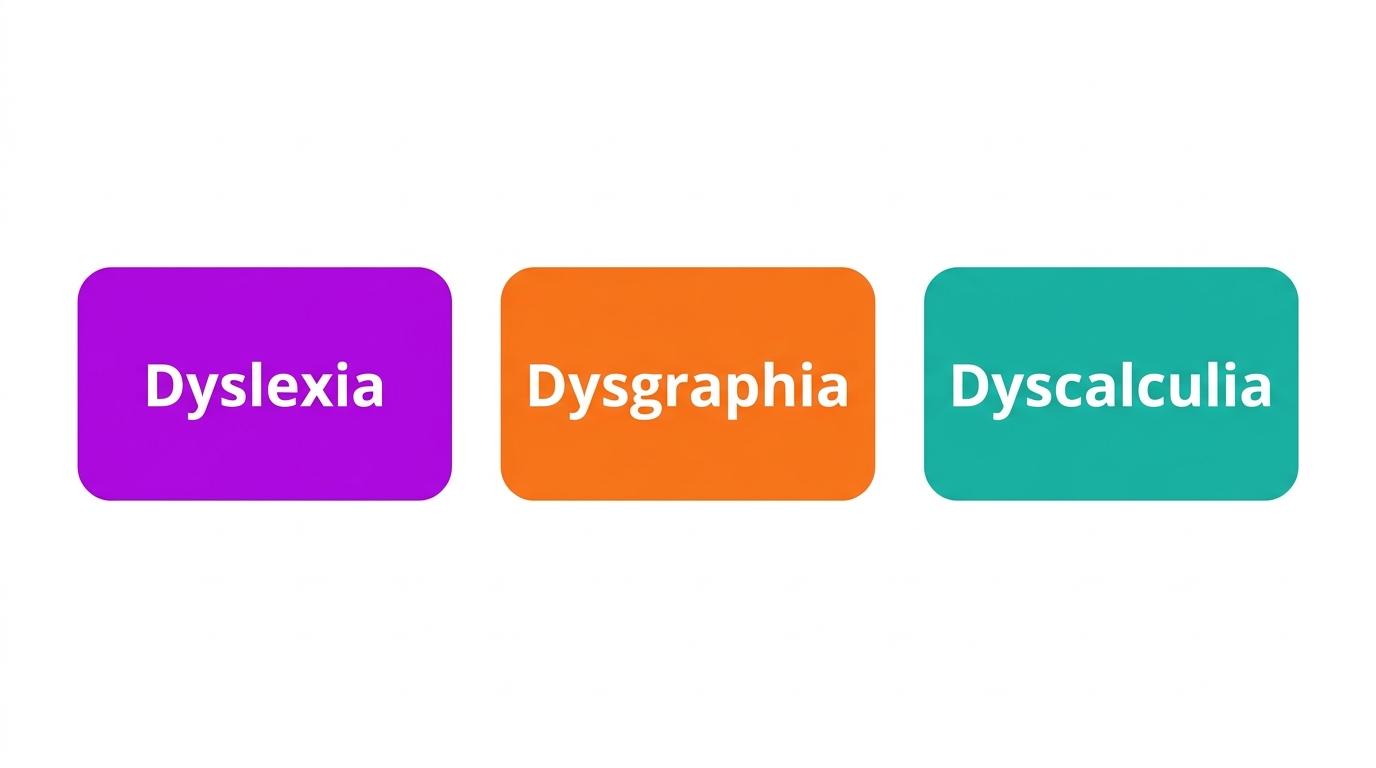
Diagram of learning disabilities: dyslexia, dysgraphia, dyscalculia.
The three most common specific learning disabilities.

How to Choose Assistive Technology for a Learning Disability

Requires:
Mote Chrome Extension, the student IEP or 504 plan, a list of barriers

1. Identify the Specific Disability and Barrier

Determine whether the student struggles most with reading, writing, or math, and what exactly blocks them.

2. Match a Tool to the Barrier

Use text-to-speech for reading, speech-to-text and word prediction for writing, and visual or talking supports for math.

3. Trial in Real Tasks

Have the student use the tool in actual assignments to confirm it helps before committing.

4. Document in the IEP or 504 Plan

Write the tool and any training into the plan so the support is required and provided.

5. Pair with Instruction

Use assistive technology alongside explicit, structured teaching, not instead of it.

Diagram of assistive technology supports: text-to-speech, speech-to-text, math supports.
Assistive technology matched to common learning disabilities.

Frequently Asked Questions

Common questions about
Assistive Technology

Qu'est-ce que la technologie d'assistance pour les troubles d'apprentissage ?

La technologie d'assistance pour les troubles d'apprentissage est tout outil qui aide un élève en situation de handicap à accéder à l'apprentissage et à montrer ce qu'il sait. Elle comprend la synthèse vocale pour la lecture, la dictée vocale pour l'écriture, et des supports en mathématiques, adaptés au handicap spécifique.

Quels sont les exemples de technologie d'assistance pour les troubles d'apprentissage ?

Les exemples incluent la synthèse vocale et les audiolivres pour la dyslexie, la dictée vocale et la prédiction de mots pour la dysgraphie, et les calculatrices parlantes et les organisateurs graphiques pour la dyscalculie. L'outil approprié dépend des besoins de l'élève et de la tâche.

Les technologies d'assistance aident-elles les élèves dyslexiques ?

Oui. La synthèse vocale permet aux élèves dyslexiques d'accéder à des textes de niveau scolaire pendant que leur capacité de décodage se développe, et la reconnaissance vocale élimine la barrière orthographique à l'écrit. Ces outils soutiennent l'accès sans remplacer l'enseignement explicite et structuré de la lecture.

La technologie d'accessibilité est-elle incluse dans les PEI pour les troubles d'apprentissage ?

Souvent, oui. En vertu de la loi IDEA, chaque équipe PEI doit considérer la technologie d'accessibilité, et les élèves ayant des troubles d'apprentissage ont souvent des technologies telles que la synthèse vocale ou la dictée vocale inscrites dans leurs plans en tant qu'appareils et services.

Quelles technologies d'assistance aident à la dysgraphie ?

La dysgraphie affecte l'écriture, les outils utiles comprennent la dictée vocale pour capturer les idées sans écriture manuscrite, la prédiction de mots pour réduire la charge orthographique, et la saisie au clavier plutôt que l'écriture manuscrite. Ils permettent aux élèves de se concentrer sur les idées plutôt que sur la mécanique.

Essayez Mote gratuitement

Aucune carte requise

© Mote Technologies, Inc. 2026. Conçu avec 💜 par notre équipe mondiale.