


Back to school 2026
Here is everything that changed while you were away on summer holiday, in 11 updates — open any one to read it in full.
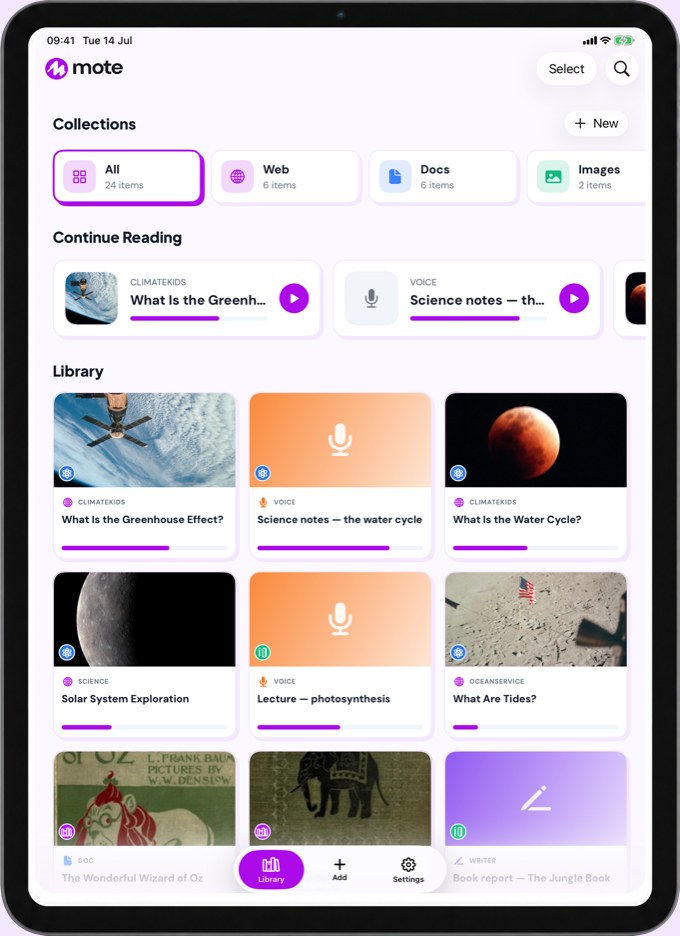

Mote for iOS is out of beta and live on the App Store, running on iPad and iPhone. Schools and classes on iPads get the Mote experience too, separate from the Chrome extension. Share a webpage or document with Mote, or scan text straight from a worksheet, and have it read aloud. Or write in Writer, with word prediction built in.
Try it now:
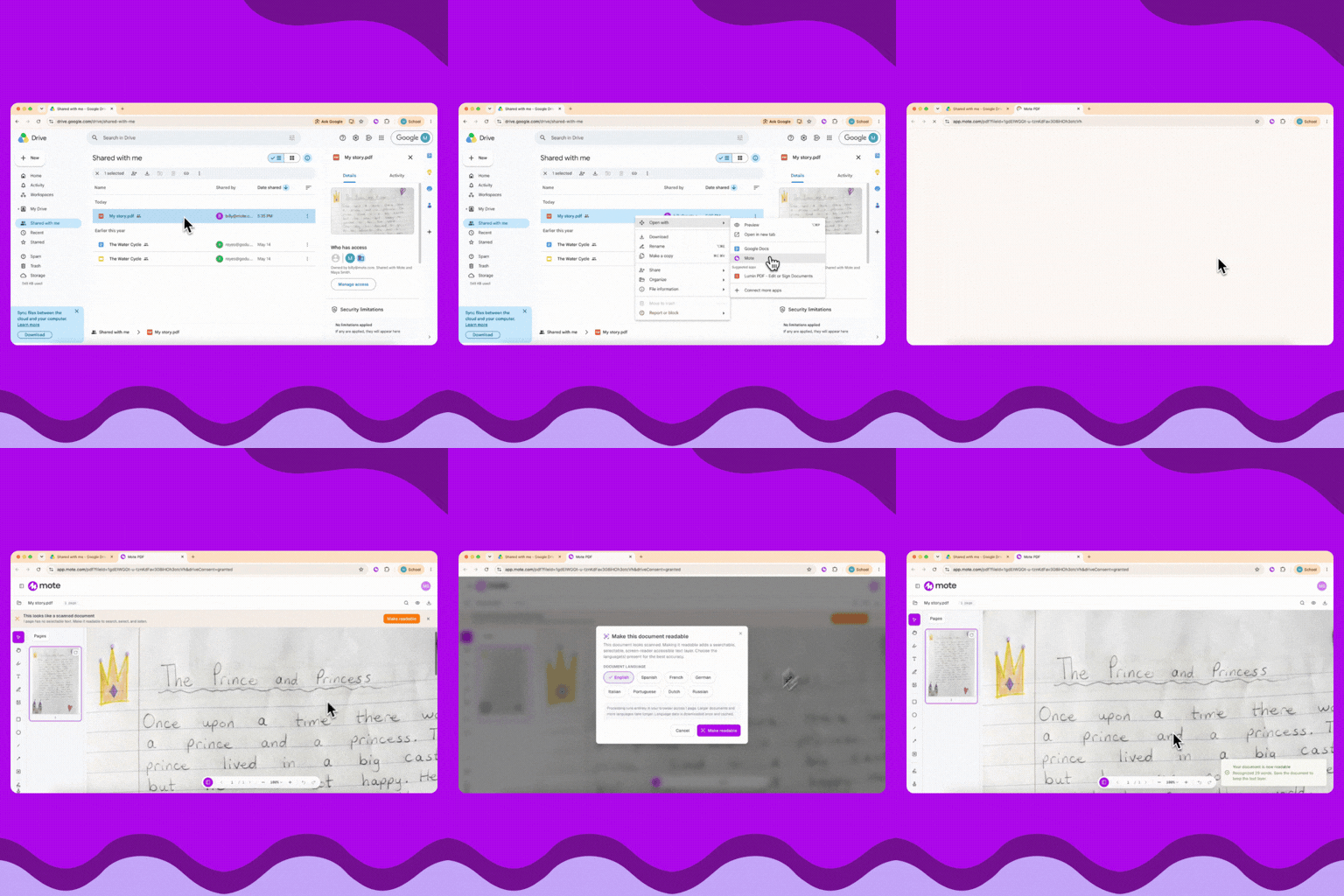
Mote PDF now runs OCR on scanned and photocopied PDFs — the ones where you try to highlight the text and nothing happens — and accessibilizes them so students can work with them properly. Once it has, the whole toolkit works: Play Page reads the document aloud, the Dictionary looks up any word, Translation handles a passage, and the Screen Mask cuts the glare. Students can highlight, annotate and type straight onto the page, and it all saves into the file so it travels with the work when they hand it back.
Try it now:
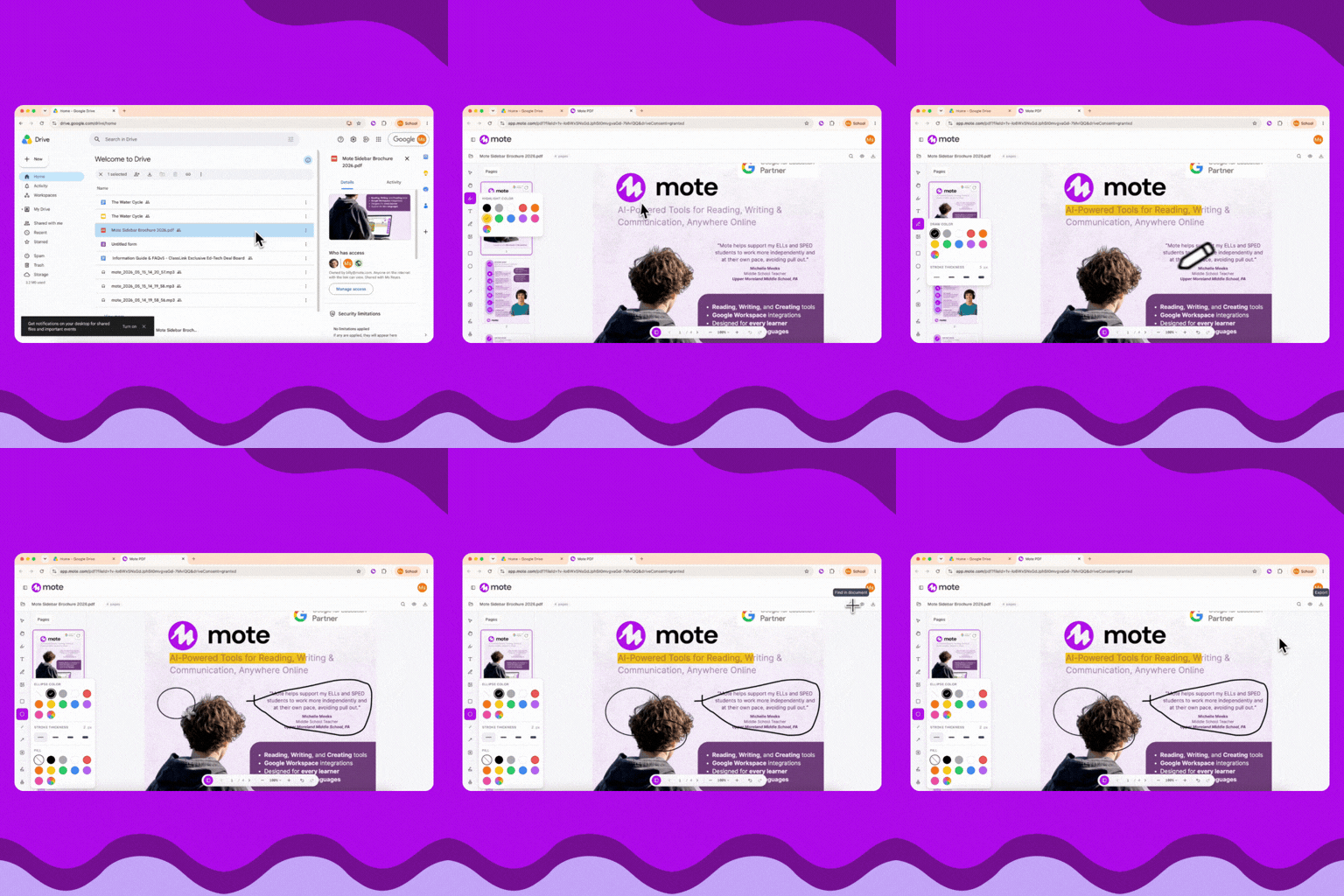
Mote PDF lets you access, edit and view any PDF, then save it back to Google Drive with your changes in it. Use the in-built toolkit to mark it up, or the Mote Sidebar for reading and writing tools. Add the Mote PDF Workspace app and it is one click from any file in Drive.
Try it now:
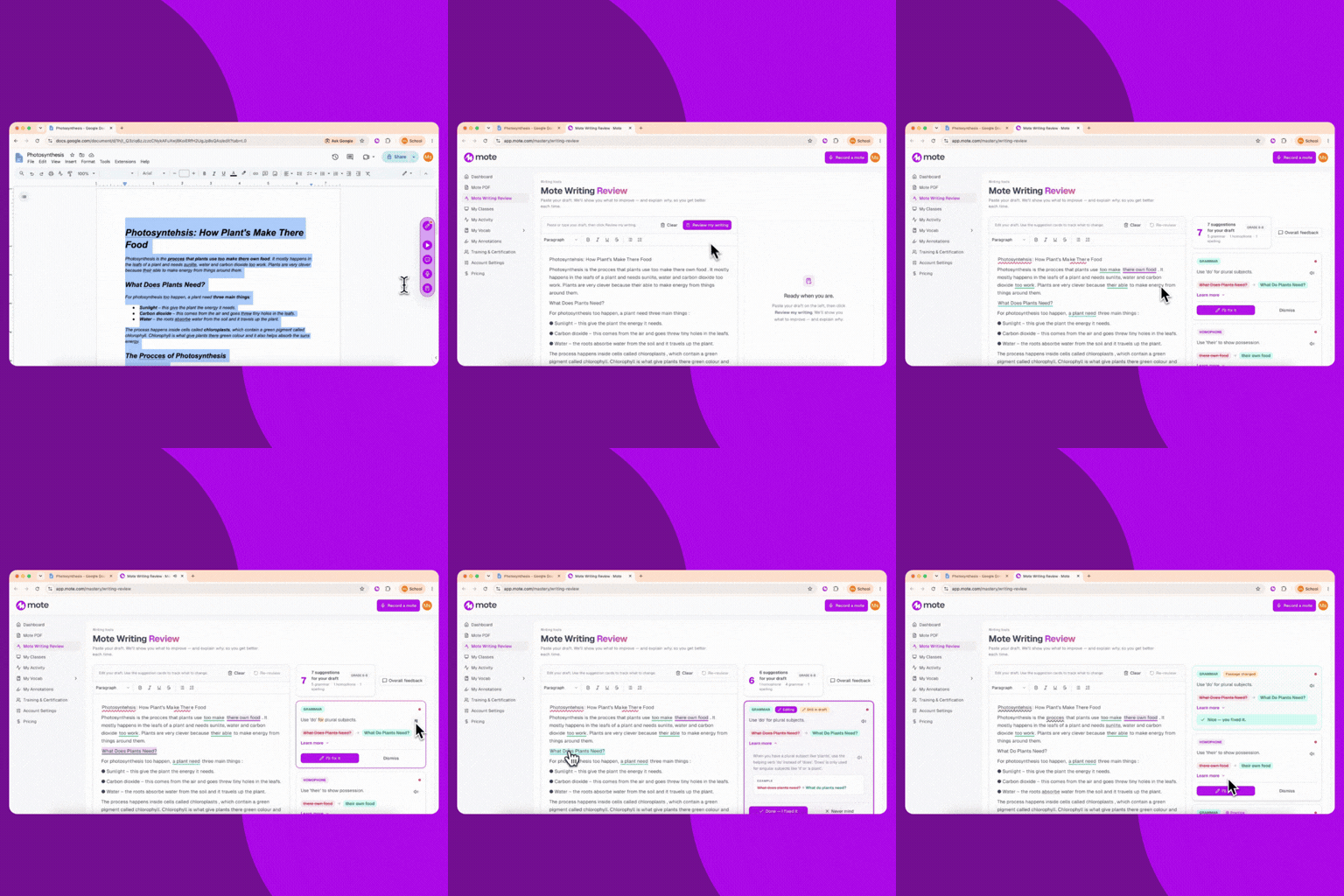
Writing Review finds the spelling, homophone and grammar issues in a student’s writing. It doesn’t fix them, it explains the rule behind each one and leaves the fixing to the student — so they understand the changes they’ve made. Play an explanation aloud and Mote leans on the words being compared, so the difference between their and there is one you can hear.
Try it now:
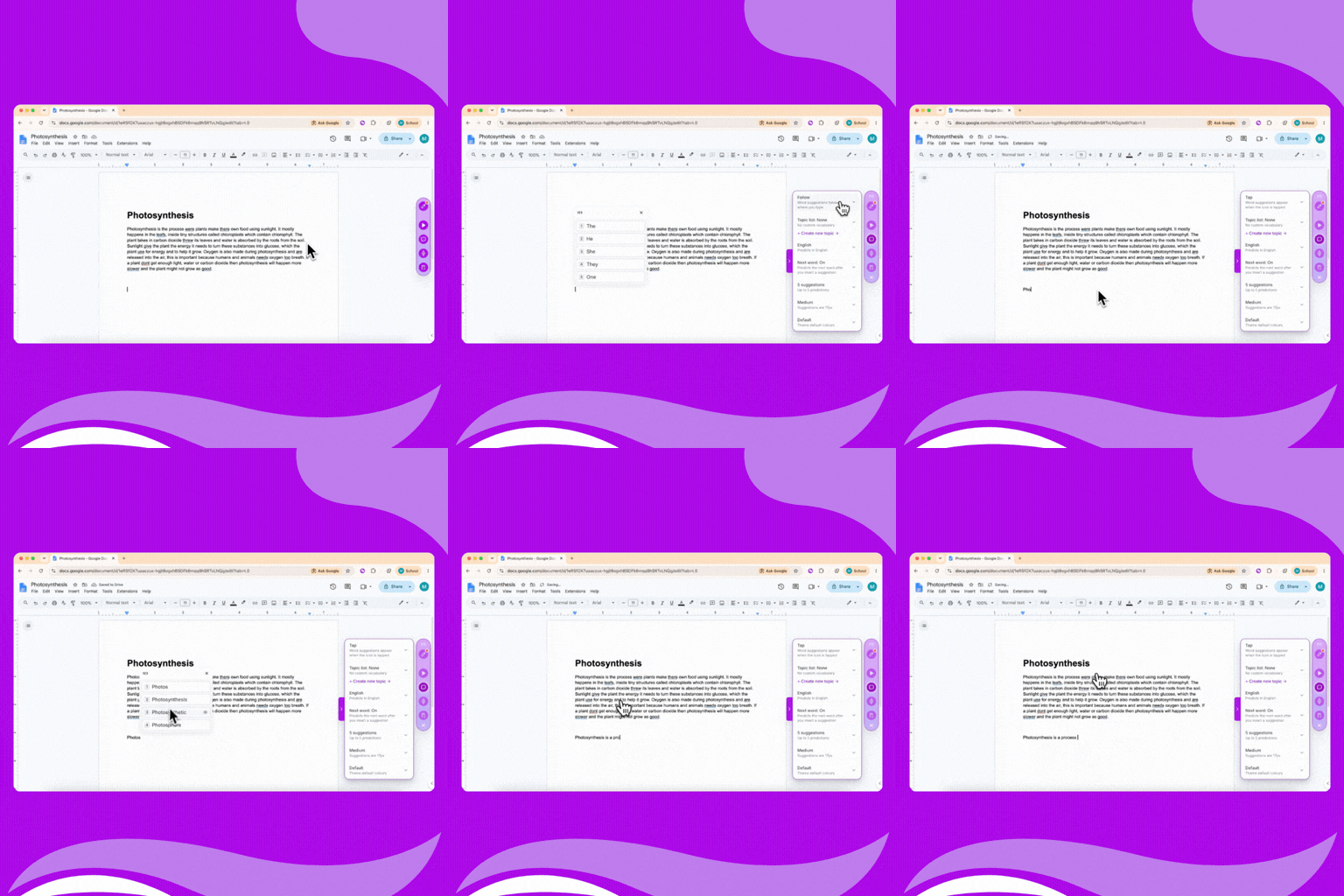
In Tap mode nothing appears while a student types — the suggestions stay hidden until they tap the icon below their cursor, so there is no Text Prediction list travelling across the page as they write. Fixed and Follow work as they always have.
Try it now:
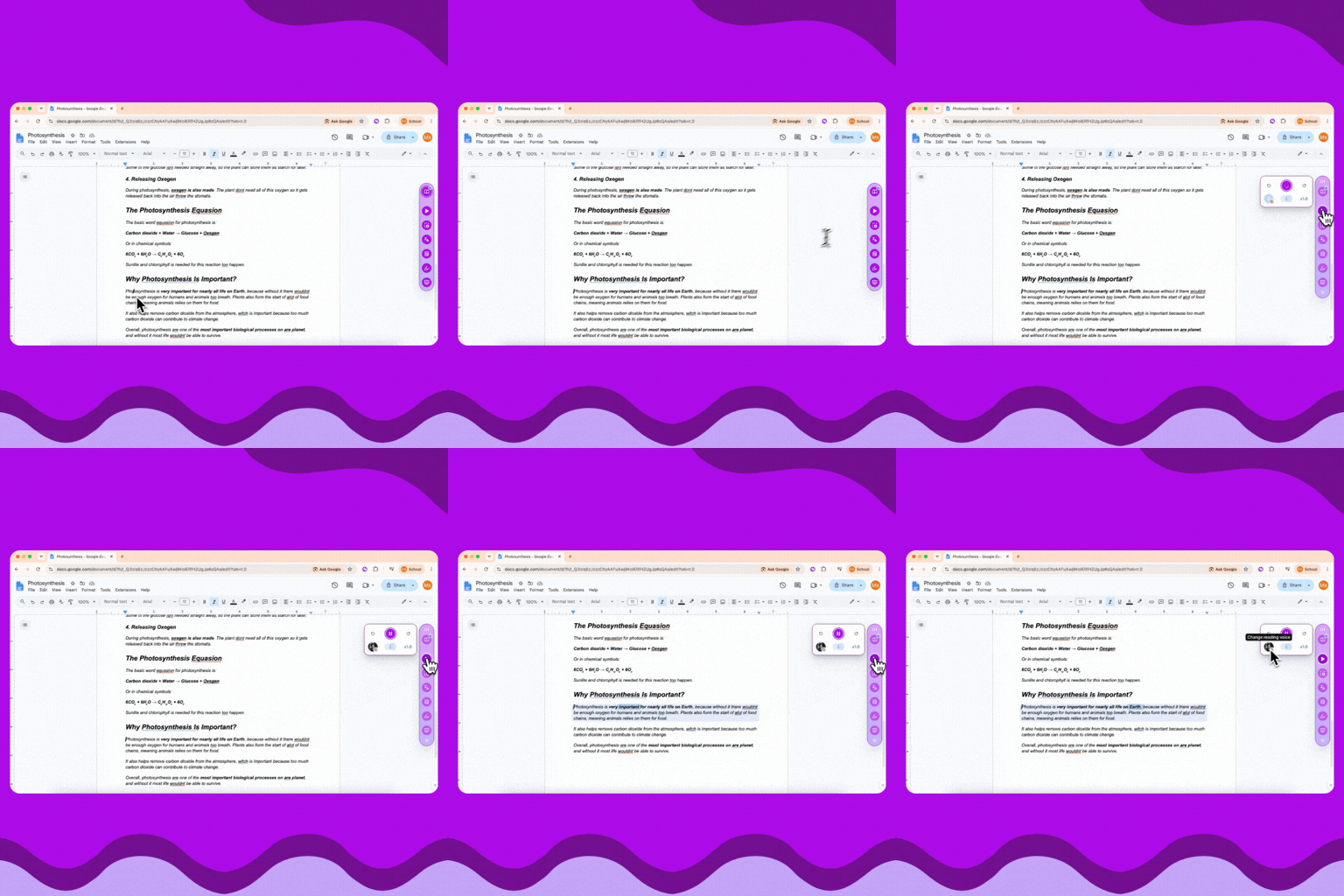
Press Play Page in a Google Doc and Read Aloud now starts from the paragraph your cursor is in, rather than going back to the top every time. Click into the part you want to hear, and that is where it begins.
Try it now:
.gif)
All of Mote is now fully translated into French, Spanish, Arabic and Mandarin Chinese. Pick your language once and the whole product follows — the Sidebar, your dashboard, and every button, label and prompt in between.
Try it now:

Mote’s teacher tools now come with a guided walkthrough. Syd takes you through four lessons on your own dashboard — creating a class, reading your Class Dashboard, setting Student Feature Access, and building a Mote Vocab list — highlighting each step as you go.
Try it now:
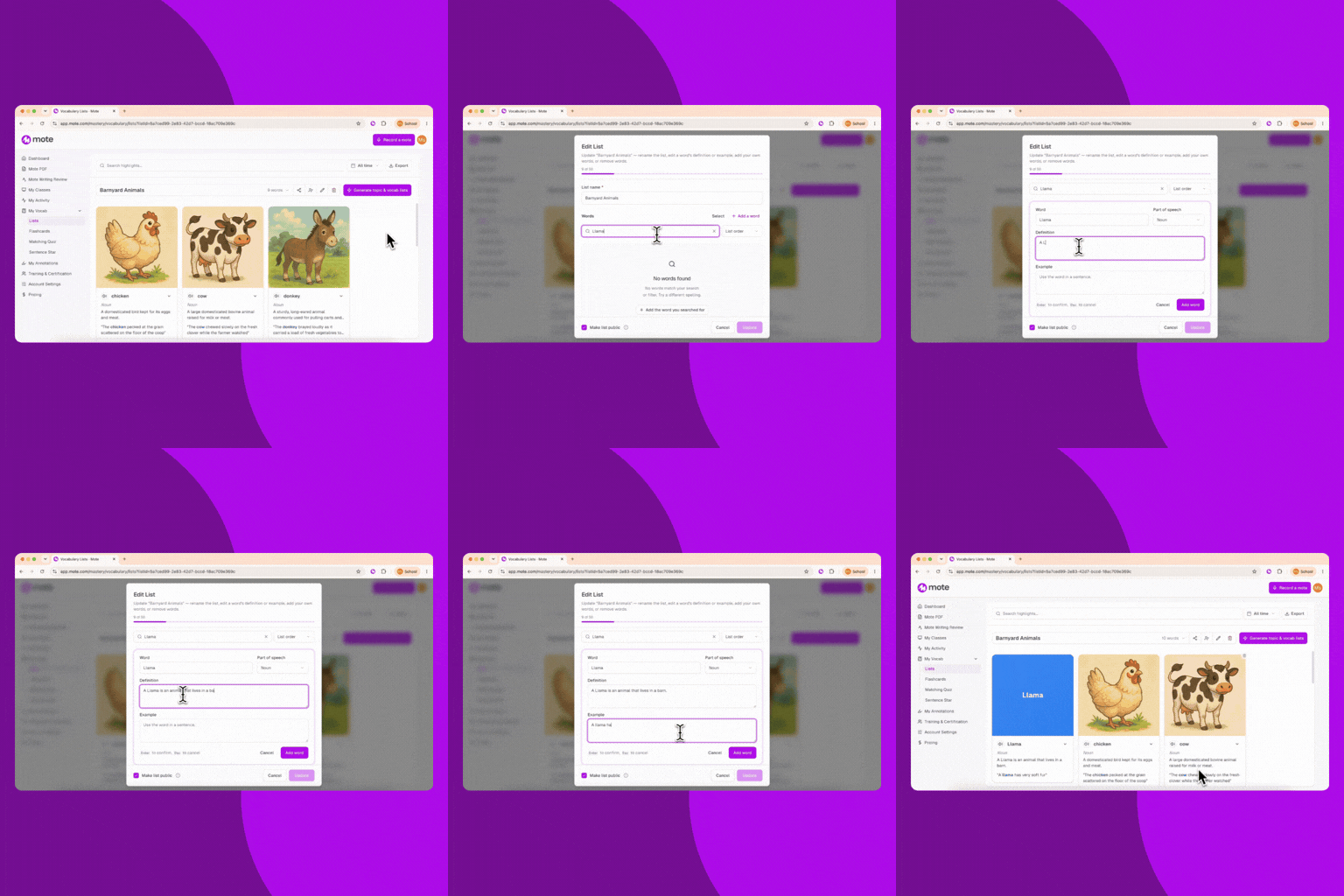
Mote Mastery is now Mote Vocab, in your dashboard under My Vocab. Vocab Lists are editable now: remove a word you don’t want, rewrite a definition that doesn’t fit your class, or add words of your own that the generator missed.
Try it now:
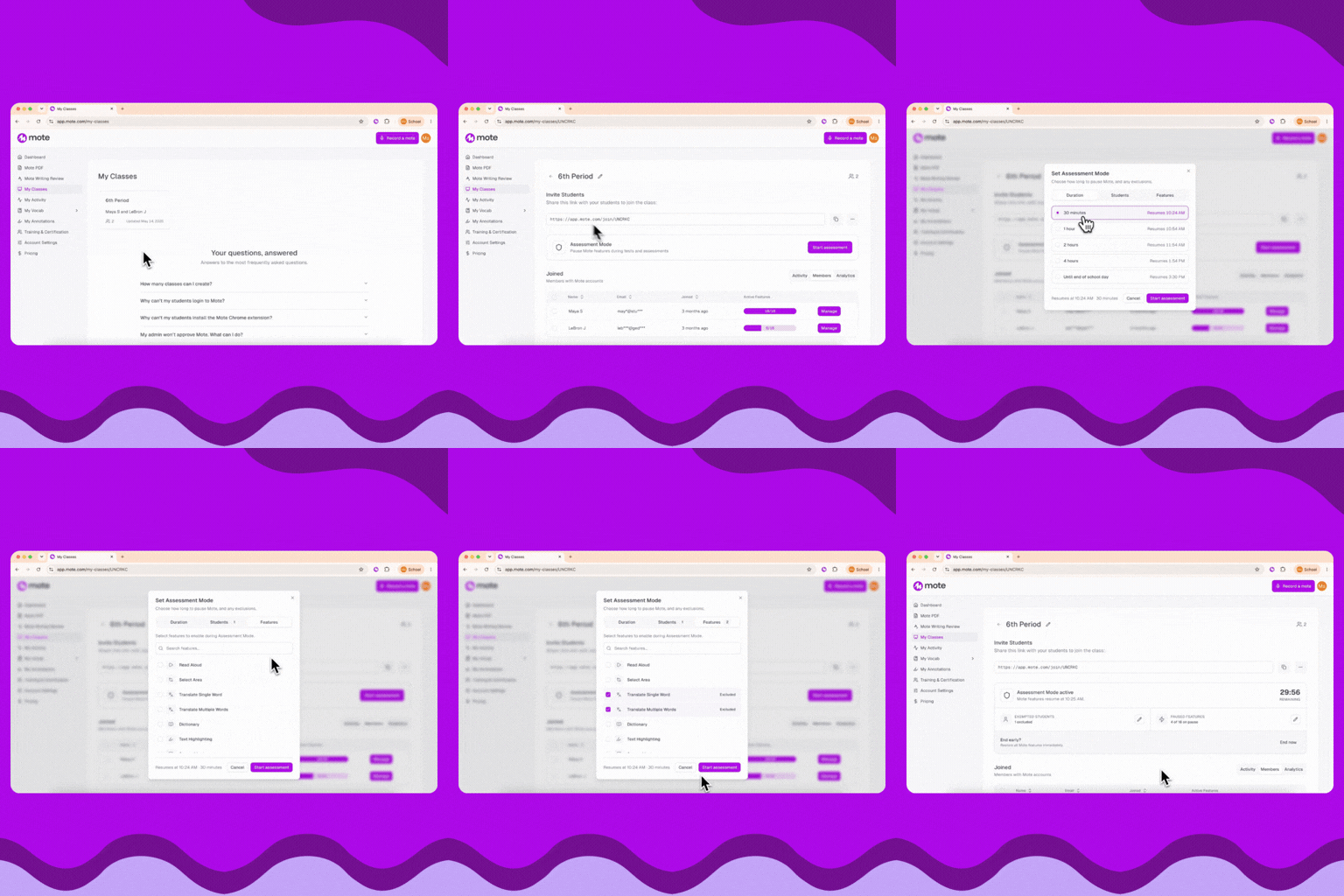
Assessment Mode pauses Mote’s features for a class while a test or a focused activity is running. Choose how long — 30 minutes, an hour, or through to the end of the day — and choose which features to pause. Then apply it to the whole class, or to everyone except the students whose IEP requires Mote.
Try it now:

Feature Access sits under My School: choose which Mote features are available to students across your school, rather than setting them class by class. Each feature has three states — On, Off for all, and Off by default, which leaves the decision with the teacher rather than taking it away. When something is unavailable, students are told why, and teachers see which admin set it.
Try it now:
