Color Blindness in the Classroom: Accommodations for Colorblind Students




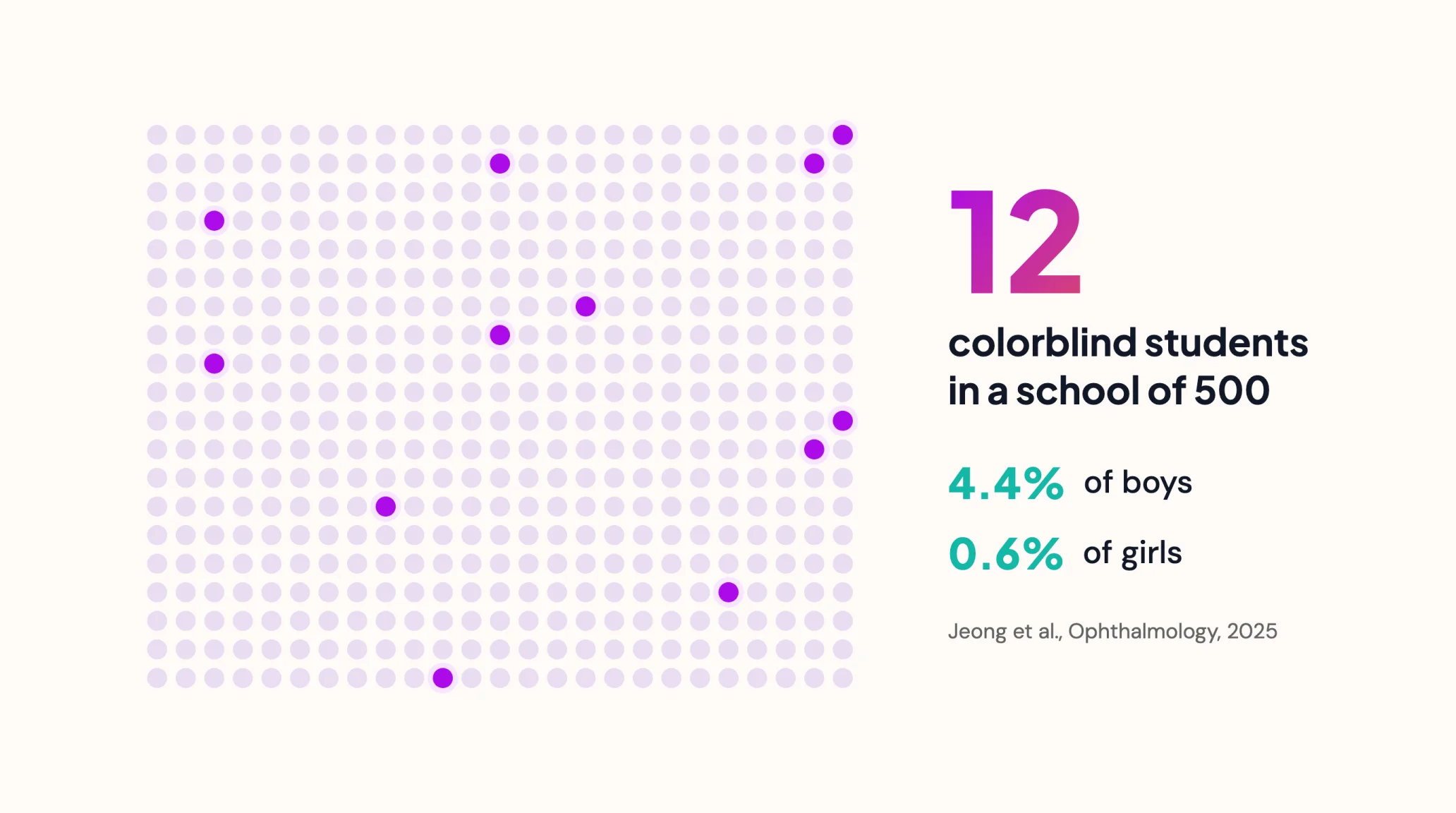
Color blindness in the classroom is more common than most teachers expect. A 2025 analysis of 1.7 million children and adolescents found that 4.4% of boys and 0.6% of girls have a color vision deficiency. That is about a dozen students in a school of 500.
Supporting them rarely costs anything. Most colorblind students do well once color stops being the only way information is shown.
What Does Color Blindness Look Like in the Classroom?
Color blindness means a student sees some colors differently or cannot tell certain colors apart. The most common type makes red and green hard to separate, according to the National Eye Institute. Signs teachers notice include:
- Picking the wrong marker, or asking classmates which color is which
- Mixing up lines on a graph or regions on a map
- Missing corrections written in red pen
- Struggling with color-coded keys and sorting tasks
If you see a pattern, let the family and school nurse know. A simple vision screening can confirm it.
504 Plan Accommodations for Colorblind Students
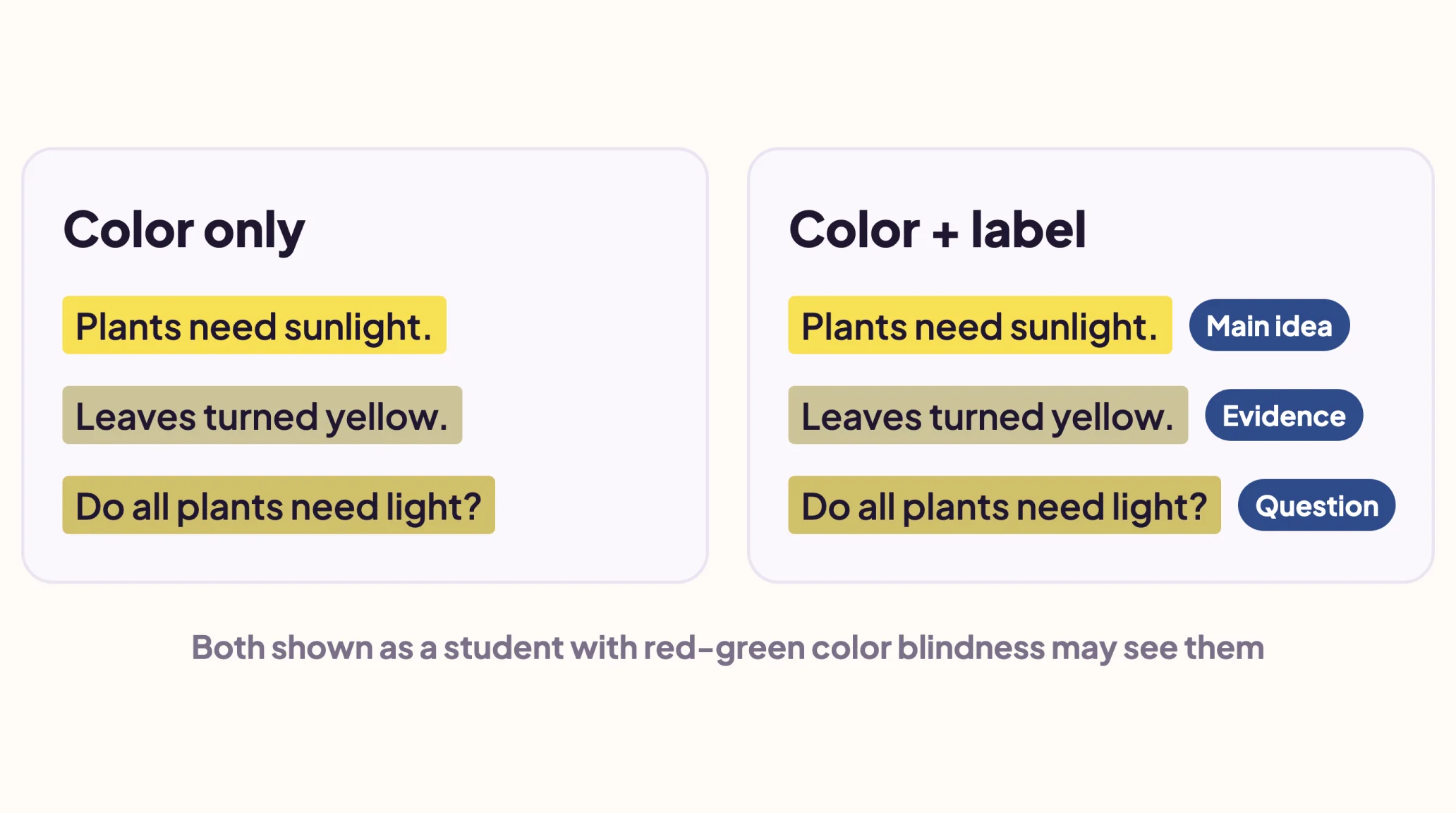
The most effective accommodation is simple: never let color carry meaning on its own. Many schools write this into a 504 plan, or add it to an existing IEP. Accommodations you can copy into a plan:
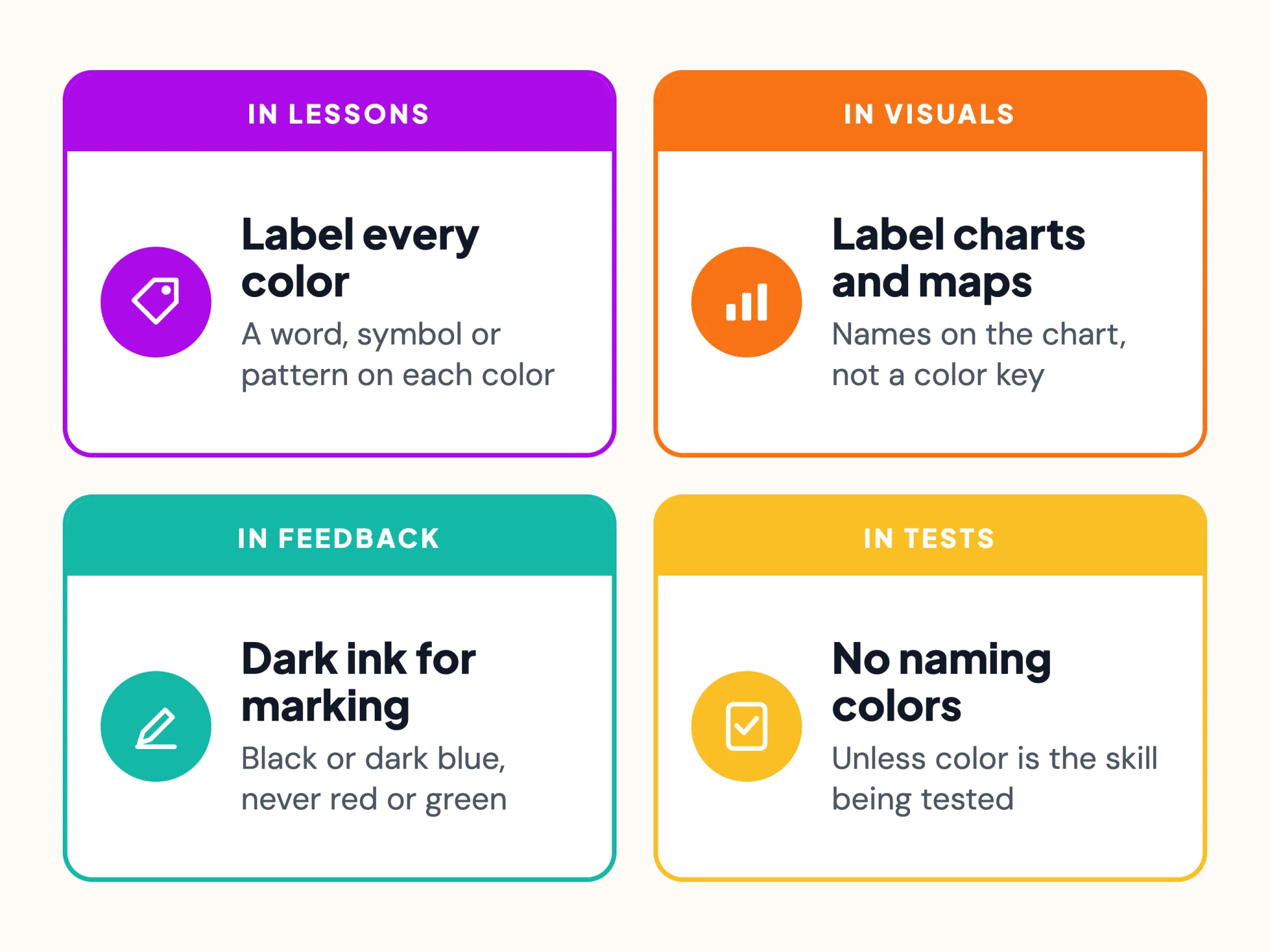
- Every color used in instruction has a word, symbol or pattern
- Graphs, maps and diagrams are labeled, not color-keyed
- Feedback is written in black or dark blue, not red or green
- Tests do not require naming colors, unless color is the skill
- The student can ask an adult to confirm colors in labs and art
Extra time is not usually needed. Clear labels remove most of the barriers.
Making Slides and Worksheets Colorblind-Friendly
Most barriers sit in everyday slides and worksheets, and each takes a minute to fix. The WCAG guideline on use of color sums it up: color can support meaning but never carry it alone.
- Use dark text on a light background, and avoid red and green together
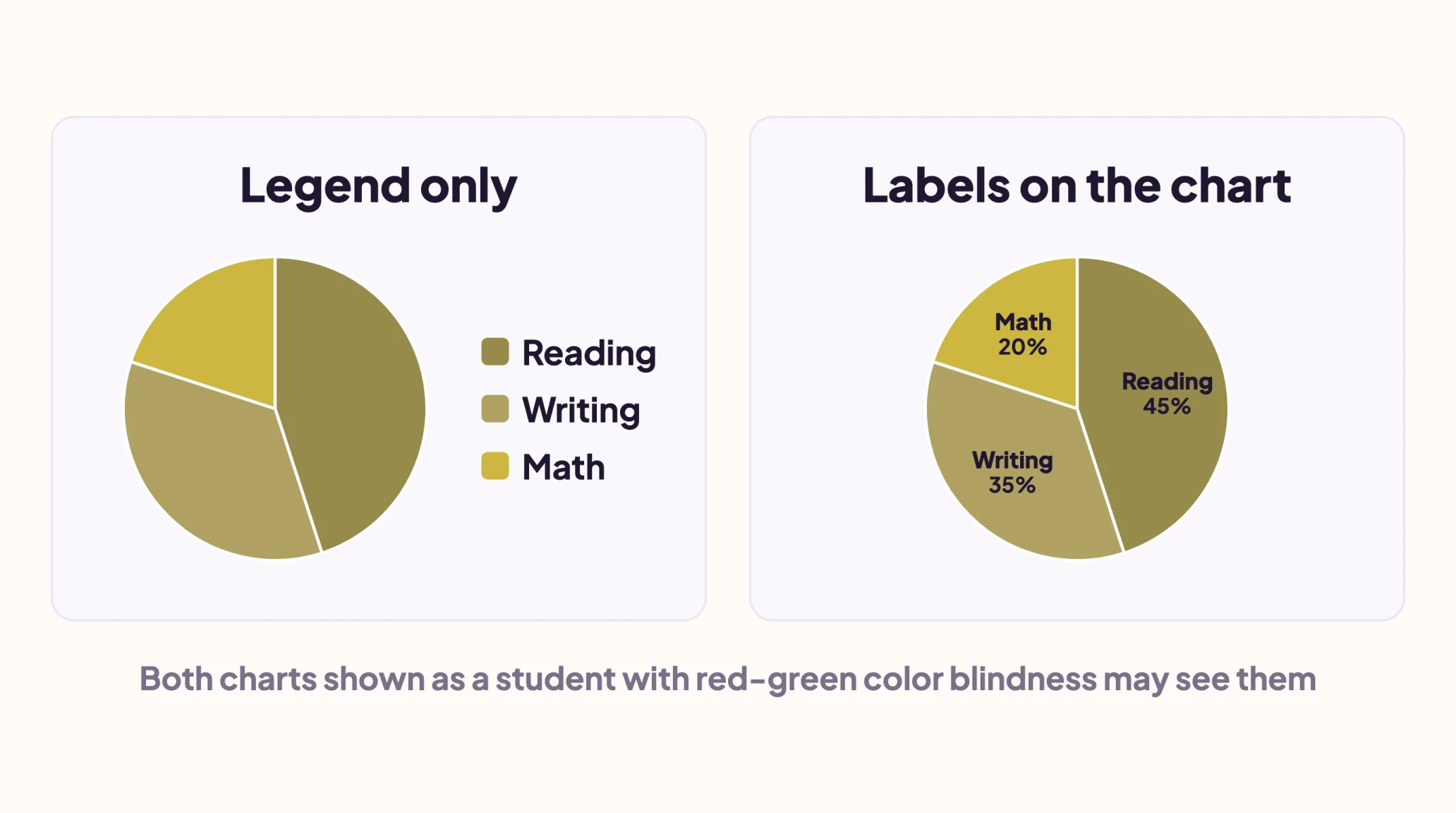
- Label chart slices and lines directly instead of using a color legend
- In Google Forms, name the answer instead of "choose the green option"
- Check the page in grayscale before sharing it
Chromebooks also have built-in color filters in their accessibility settings. Use them alongside labels, since a filter cannot tell a student what a color means.
Color-Safe Highlighting with Mote
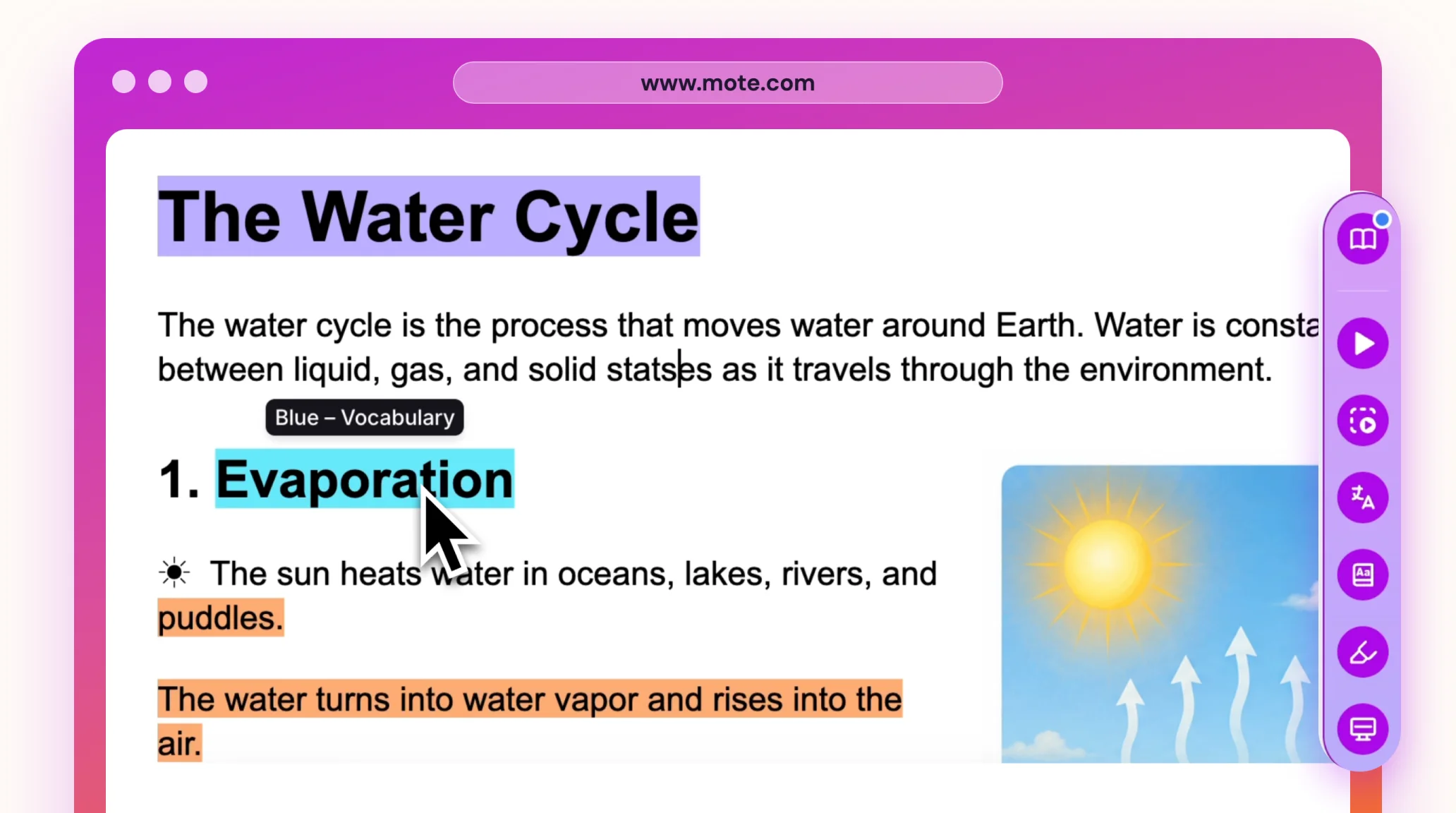
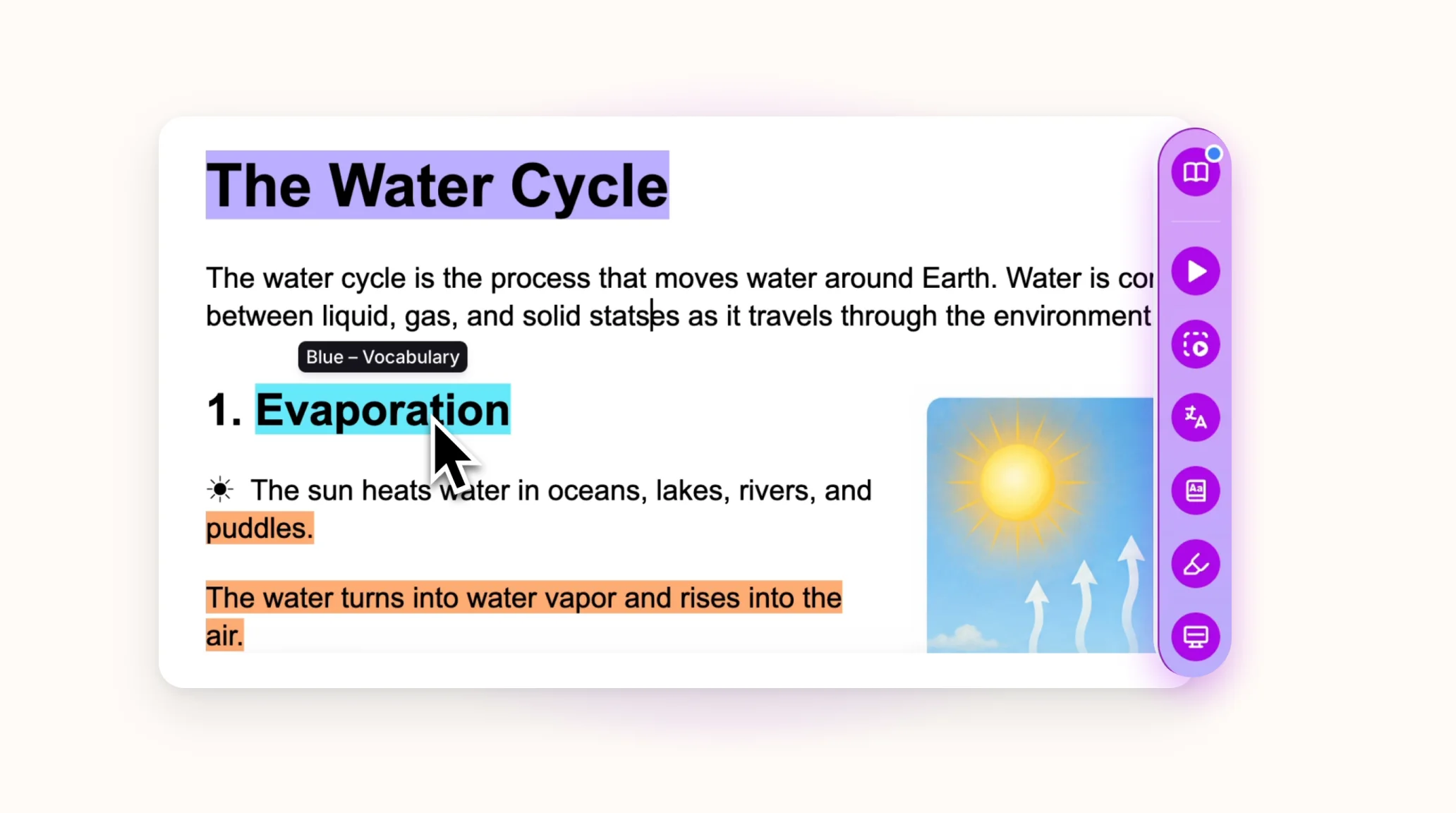
Color coding still works for colorblind students when every color has a name. The Mote Highlighter lets teachers and students label four of its colors, so yellow becomes "Main idea" and green becomes "Evidence". Hovering over a color shows its label.
Read Aloud also lets each student choose the color used to highlight the words being read, so they can pick one that stands out for them. Read more about assistive technology for students.
Label Every Color
Color blindness is common, lifelong and easy to plan for. Label every color you use, and colorblind students get the same lesson as everyone else. Supporting another need? See our guide to dyslexia classroom accommodations.